
The bell and pause: your notifications and when not to receive offers
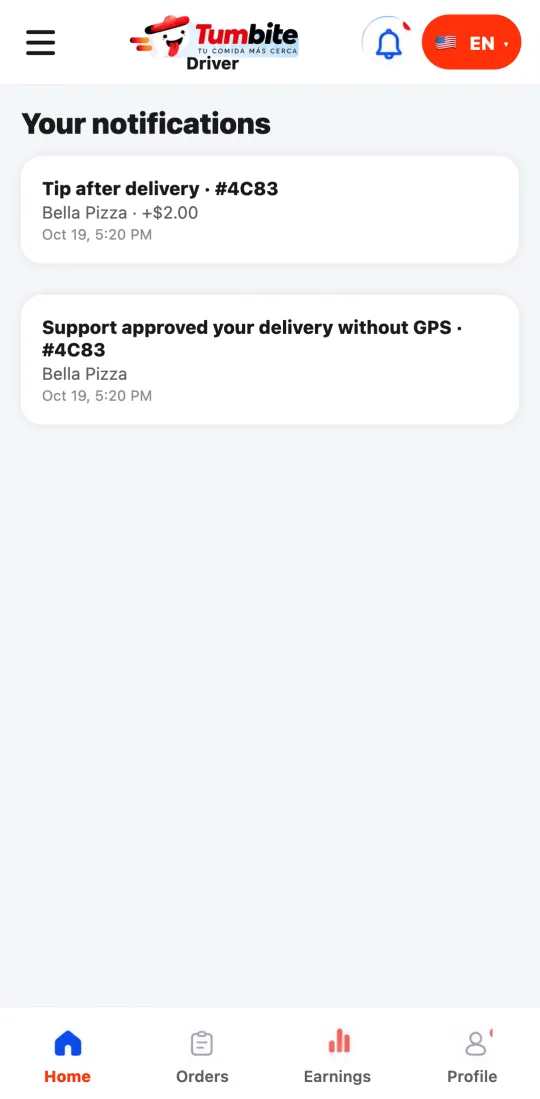
The bell shows your real notifications from the last seven days: order ready, cancellations, address changes, tips, check-in photo. And with “Pause offers” you stay online without receiving offers.
How it works
Notifications that reach your phone and stay in the bell: the restaurant finished your order (“Order ready for pickup”), the restaurant or the customer canceled (you’re free for the next one), the customer changed the delivery address (with the new address), support approved your delivery without GPS, a tip that came after delivery, offers that expired on you today, and a pending check-in photo.
Notifications arrive in the language you have in the app: switch to English and they switch too.
Pause: when you’re online with no order, “Pause offers” keeps you online (our team sees you) but sends no offers, for example to eat or get gas. “Resume offers” puts you back in line. Going online again clears the pause.
If you go online outside our coverage area, the app tells you: you’re online, but no offers arrive there.
Steps
- Tap the bell at the top right to see your notifications.
- On the home screen, online with no order, tap “Pause offers” when you need a break.
- Tap “Resume offers” to receive again.
This guide answers
- How do I stop receiving offers without going offline?
- Do I get notified if the restaurant cancels?
- What’s in the bell of the driver app?