
Background check with Checkr and the identity check photo
Like the big platforms: we check criminal records and driving history with a provider, and every so often we ask for a photo of your face before you go online.
How it works
Background check: under “My details and vehicle,” tap “Start the background check.” The Checkr form opens, a specialized provider, where you enter your sensitive details (never in Tumbite). It usually takes 1 to 3 days. When the result is clear, your account is approved automatically; if something needs review, our team looks at it.
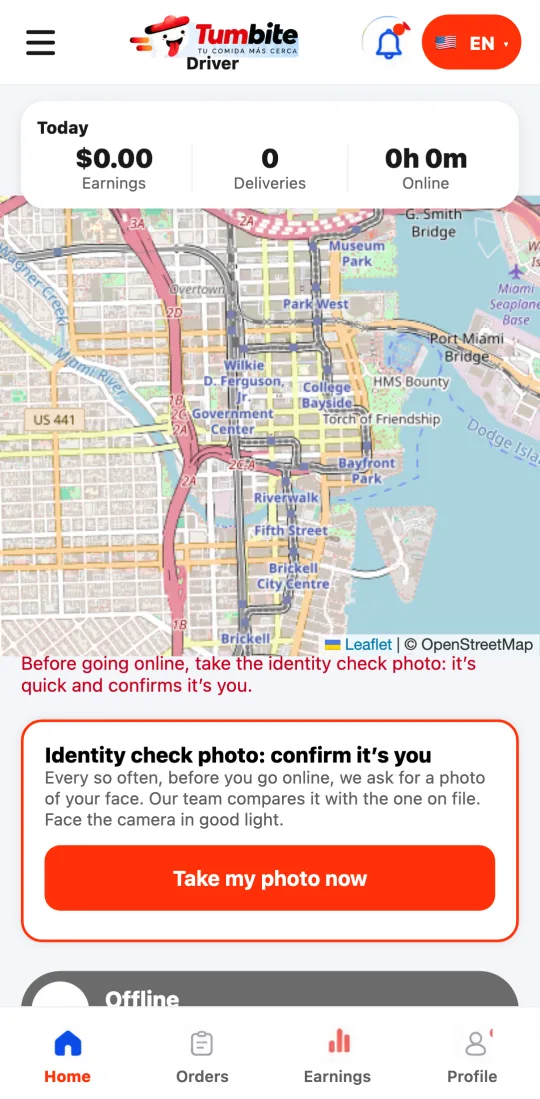
Identity check photo: every so often (no more than once a week, at random), when you tap “Go online” the app asks for a photo of your face. It’s quick: face the camera in good light. Our team compares it with the photo on file to confirm the person delivering is you.
While the check photo is pending, you can’t go online. As soon as you send it, you can continue.
These two measures protect customers, restaurants and you: nobody can deliver using someone else’s account.
Steps
- Under “My details and vehicle,” tap “Start the background check” and complete the Checkr form.
- If “Identity check photo” shows up when going online, tap “Take my photo now.”
- Once the photo is sent, tap “Go online” again.
This guide answers
- Why am I asked for a photo before going online?
- How do I do the background check?