
Why don’t I see restaurants? What if the app won’t finish opening?
The app always tells you what’s going on: no restaurants in your area yet, we’re not in your city yet, or the connection failed. And if it can’t verify your session, it lets you try again without losing your account.
How it works
The restaurants you see depend on your location. The app uses, in this order: the spot you picked on the map in your cart, the last location you saved and, if there’s none, your phone’s location. Your list doesn’t change on its own when you move a little or switch languages.
“No restaurants in your area yet”: Tumbite already works in your area, but no restaurants are open there yet. We’re adding more every week.
“We’re not in your area yet”: your location is outside the cities we serve today. We’re coming to more soon.
“We couldn’t load the restaurants”: the connection failed. Tap “Try again.” If you already had a list, we keep showing it and let you know it couldn’t be refreshed.
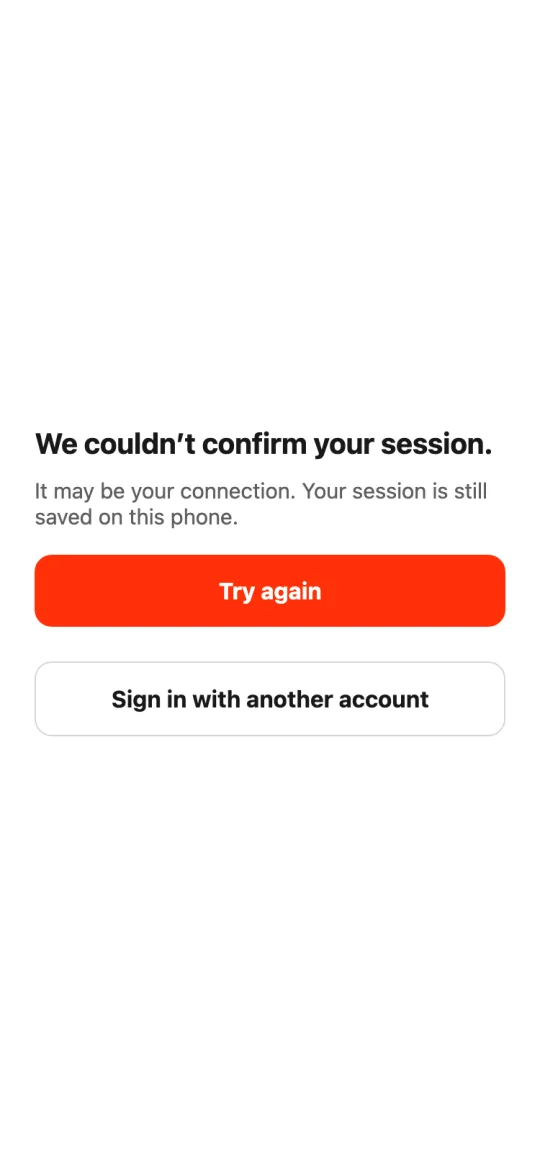
When the app opens, we verify your session. If your internet is slow, we don’t leave you waiting forever: after a few seconds you’ll see “We couldn’t confirm your session,” with “Try again” and “Sign in with another account.” A connection problem never signs you out.
Steps
- If you don’t see restaurants, read the message above the list.
- If it says the connection failed, tap “Try again.”
- To see another area, change the delivery spot on the map in your cart.
- If the app won’t finish opening, tap “Try again”; your account stays saved.
This guide answers
- Why don’t I see restaurants in my area?
- Why do restaurants disappear from the list?
- What do I do if the app keeps loading when it opens?