
Cancel an order and get your money back
Until the restaurant accepts it, you cancel in one tap and get a full refund. And if the restaurant doesn’t answer, we cancel it for you.
How it works
Ordering food should feel easy. So while the restaurant hasn’t started cooking your order, you can change your mind, no questions asked: we refund the full amount, delivery and tip included.
If the restaurant is slow to confirm, you don’t have to wait or complain. After ten minutes with no answer, Tumbite cancels the order on its own, refunds you, and lets you know on your phone.
Once the restaurant accepts, the food is in the kitchen and the order can’t be canceled from the app. If something is wrong, tap “Problems with your order?” and a real person will help you.
Steps
- Open your order in the app. While it says “Payment received. Waiting for the restaurant to accept,” you’ll see “Cancel order.”
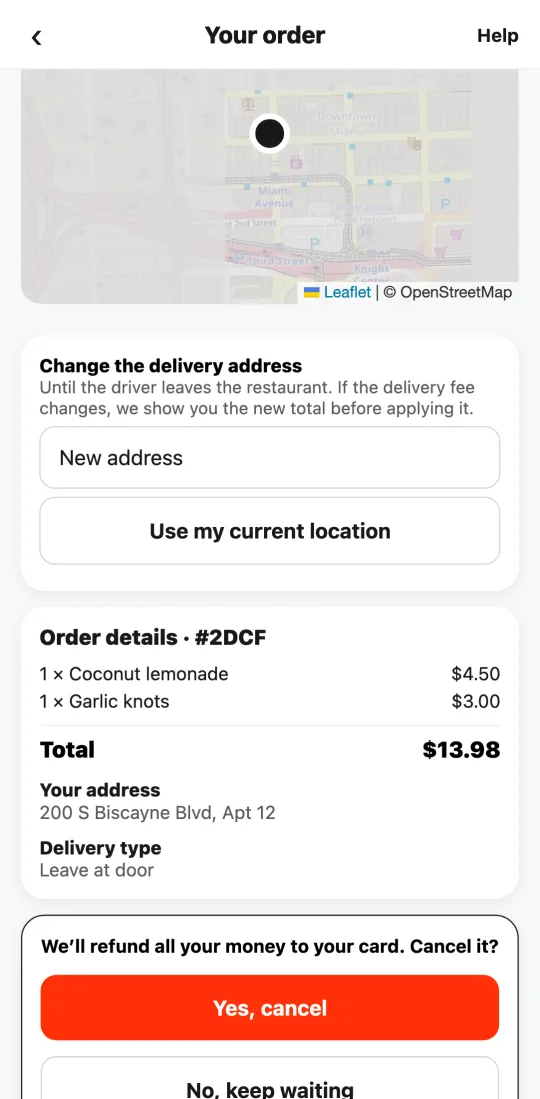
- Tap it. The app asks if you’re sure and reminds you that you get everything back.
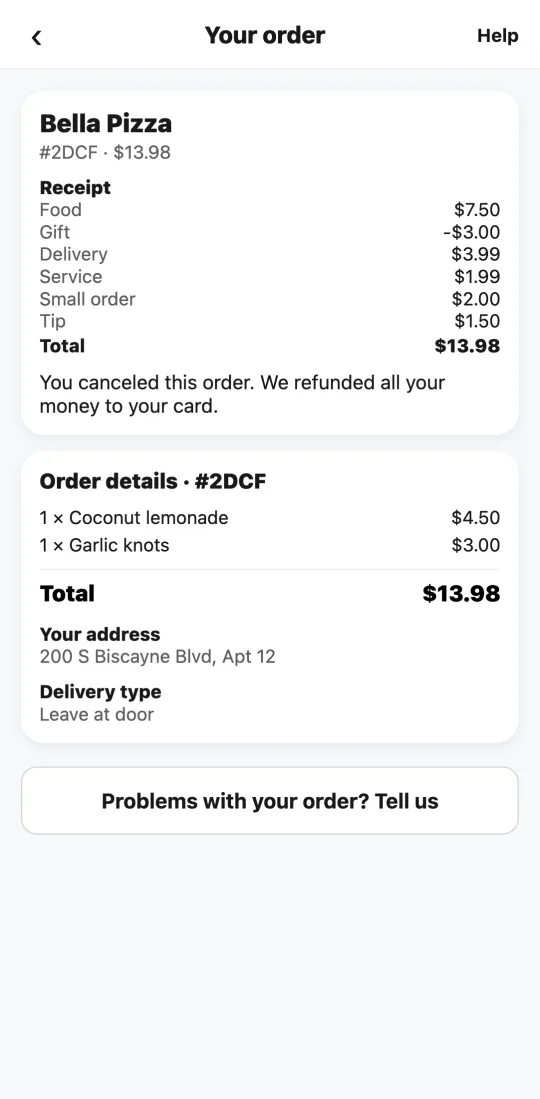
- Tap “Yes, cancel.” The order is canceled right away.
- The refund goes out immediately to the same card. Depending on your bank, it can take 5 to 10 business days to show on your statement.
If the restaurant doesn’t confirm your order within 6 minutes, we cancel it and refund you without you lifting a finger.
This guide answers
- How do I cancel an order?
- Do I get my money back if I cancel?