
Mark an item as sold out
Out of chicken? Turn it off for today in one tap and nobody can order it.
Steps
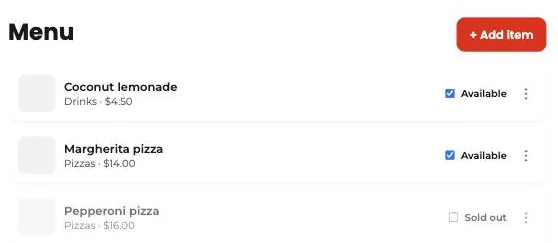
- In “Menu,” each item has an “Available / Sold out” switch.
- Tap it to turn the item off. It disappears from the customer app instantly.
- When it’s back, tap again. No need to delete or recreate the item.
This guide answers
- How do I mark an item as sold out?