
Destination mode: orders on your way home
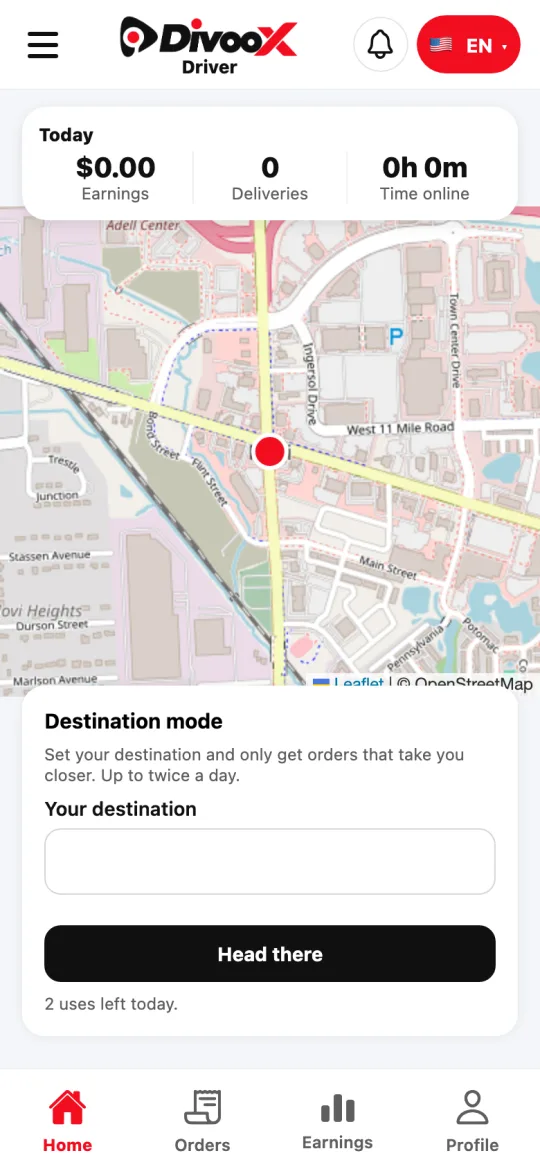
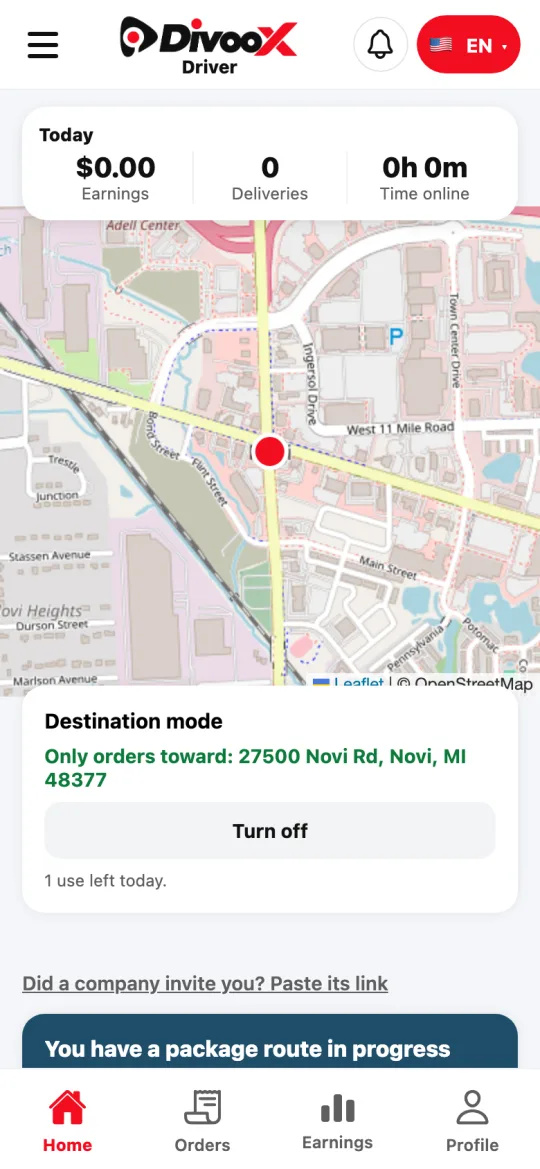
Set your destination —home, for example— and Divoox Driver only offers you orders whose drop-off takes you closer. You can use it twice a day, and it turns off on its own when you arrive.
How it works
You can turn it on twice a day. The count resets at midnight, your city’s time, and the card shows how many uses you have left.
Each time you turn it on counts as one use, even if you turn it off before arriving.
With the mode on you may get fewer offers, especially when few orders are headed your way.
Steps
- In Divoox Driver, on Home, find the “Destination mode” card.
- Type your destination and pick it from the suggestions so we have the exact spot.
- Tap “Head there.” From then on you only get offers whose drop-off leaves you closer to your destination.
- When you arrive, the mode turns off on its own. If your plans change, tap “Turn off.”
This guide answers
- How do I get orders on my way home?
- How many times a day can I use destination mode?
- When does destination mode turn off?