
Compliments and reasons when you rate
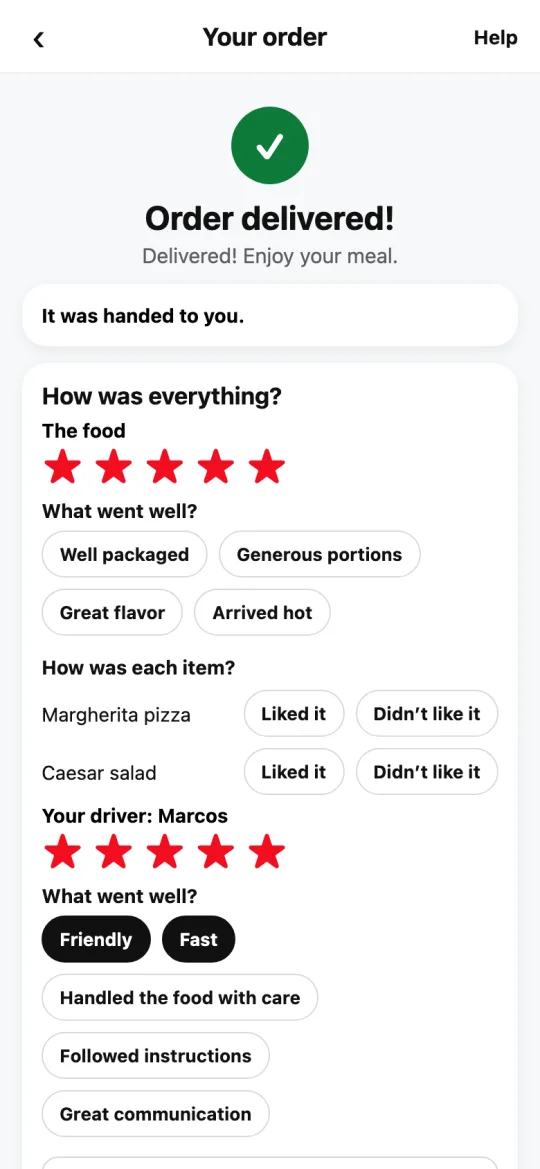
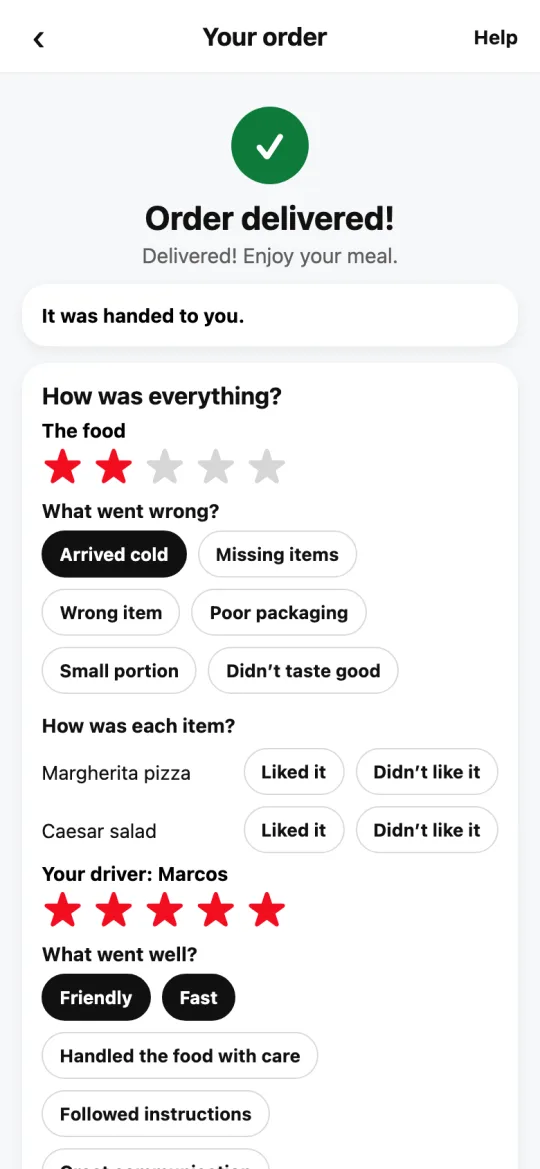
With 5 stars you pick what went well; with 3 or fewer, what went wrong. One tap, no typing.
How it works
Compliments go to the driver: their app shows how many times they were praised for each one, just like the big delivery apps.
Reasons for a low driver rating aren’t shown to the driver: our team reviews them to help them improve.
What you pick about the food goes to the restaurant’s reviews, so it knows what it does well and what to improve.
With 4 stars nothing opens: your rating says it all. If you change the stars, what you picked is cleared so you can choose again.
Steps
- When the order arrives, under “How was everything?” rate the food and the driver with stars.
- If you give 5 stars, “What went well?” appears: tap any compliments, for example “Friendly,” “Fast,” “Handled the food with care,” or “Followed instructions” for the driver, and “Well packaged” or “Generous portions” for the restaurant.
- If you give 3 stars or fewer, “What went wrong?” appears: tap the reason, for example “Arrived late” or “Arrived cold.”
- Tap “Send rating.”
This guide answers
- How do I compliment my driver?
- How do I say what went wrong with my order?
- Does the driver see what I picked?