
Invite a friend: credit for both of you
Share your personal code. Your friend gets credit for their first order, and you get yours once we deliver it.
How it works
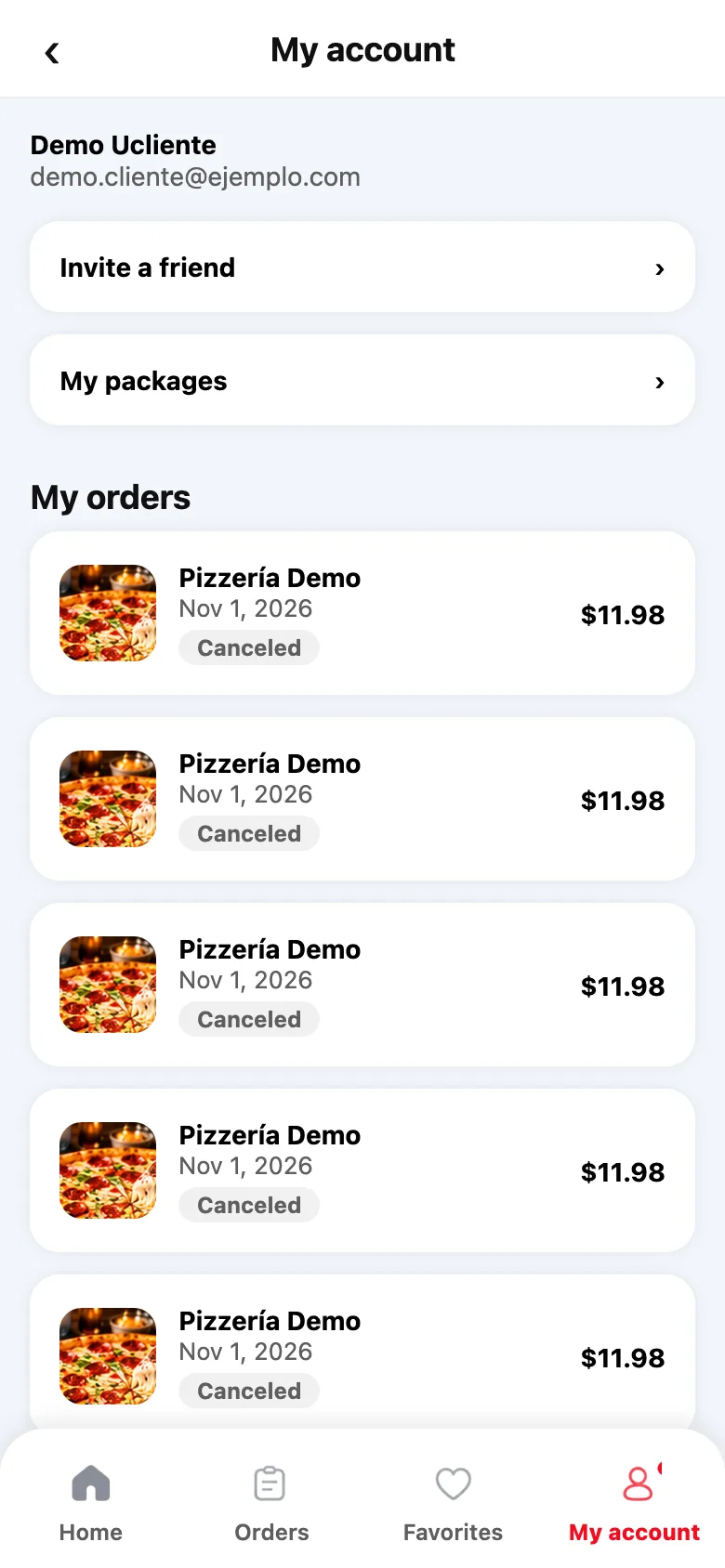
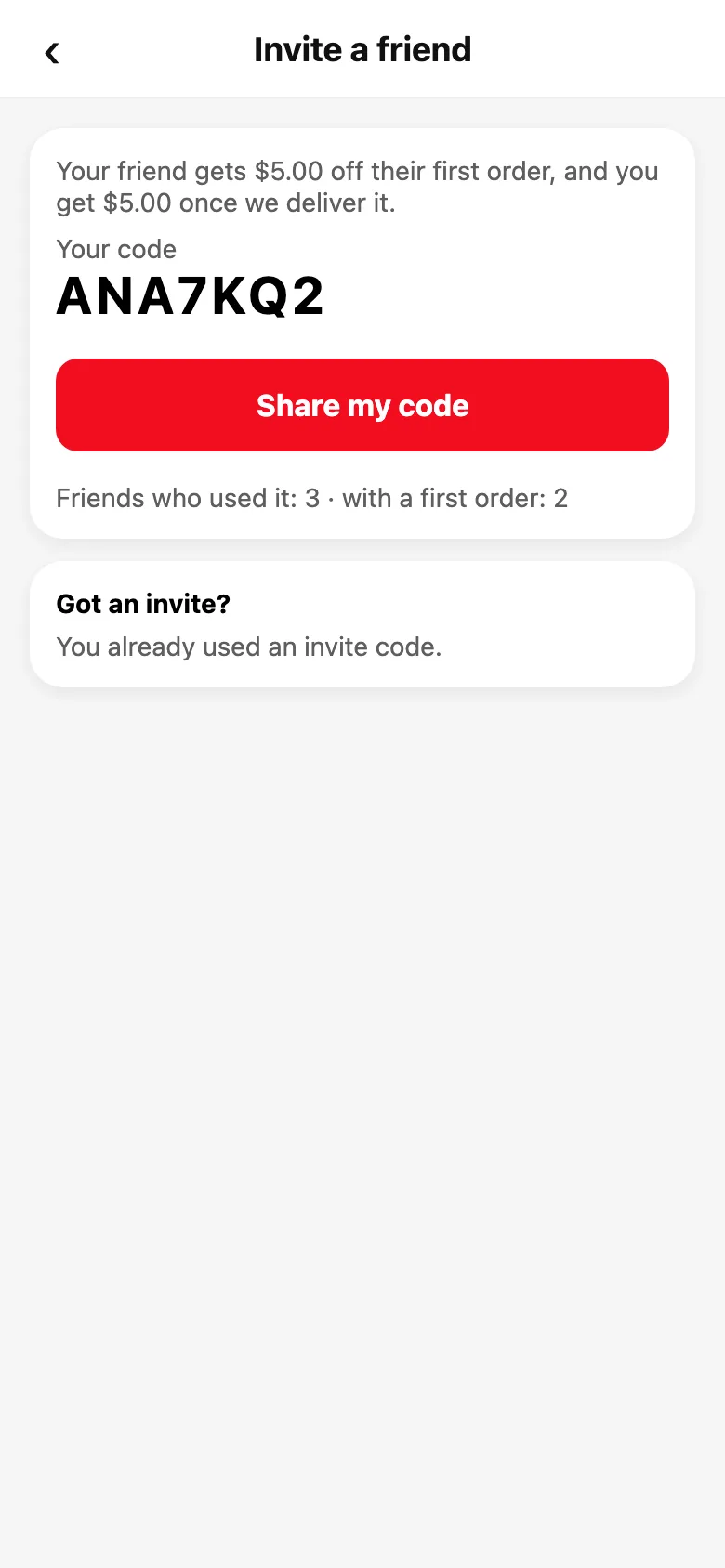
When invites are available, they show in My account → Invite a friend. There you see your code, what your friend gets and what you get.
Tap “Share my code” and send it by WhatsApp, text or email, whichever you like.
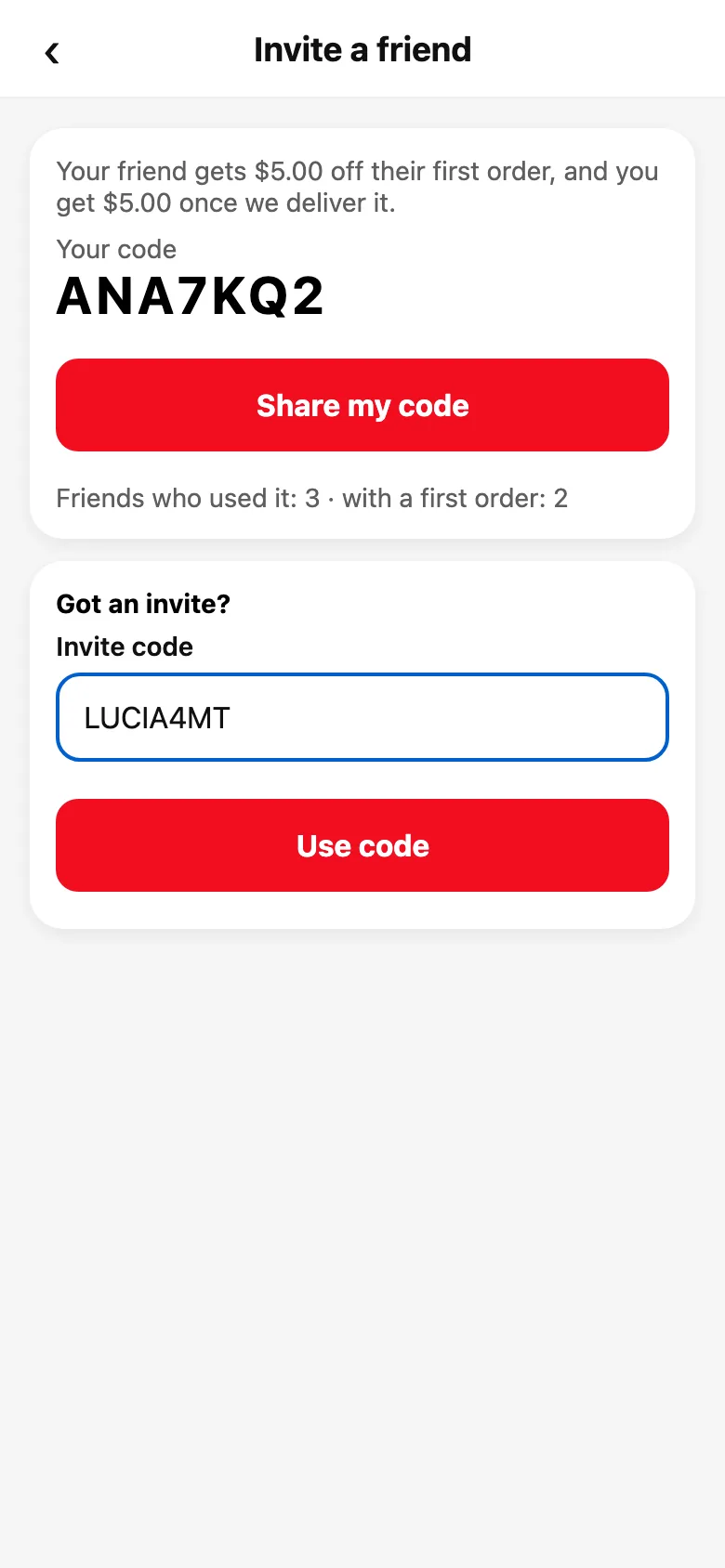
Your friend creates an account, goes to My account → Invite a friend and enters your code under “Got an invite?” before placing their first order. The credit lands right away as gift balance and is used in the cart with “Use my gift card balance.”
When we deliver that first order, your credit shows up in your gift balance. On the same screen you see how many friends used your code and how many have placed their first order.
Each friend can use one code, once, before their first order. You can’t use your own code.
Gift balance pays for food, delivery, service and tax; the tip is paid with your card.
Steps
- My account → Invite a friend.
- Tap “Share my code” and send it to your friend.
- Your friend enters it under “Got an invite?” before their first order.
This guide answers
- How do I invite a friend to Divoox?
- When do I get my referral credit?
- Where do I enter the code I was given?