
Promotions you create and fund
Set up your own promotion —a percentage off, free delivery, or “spend X, save Y”— with dates and an order limit. It shows with its badge in the customer app, applies automatically, and you fund it from what you earn on each order.
How it works
You fund the promotion: the discount comes out of what you earn on each order, and you see it in your Earnings. Divoox charges you nothing extra for running it.
Your commission is calculated on the food price before the discount, just like on the big delivery apps.
With “free delivery,” the driver still earns the full delivery fee: you cover it.
It applies to orders paid by card. If an order qualifies for more than one of your promotions, the one that saves the customer the most applies.
You can run up to five promotions at a time.
Steps
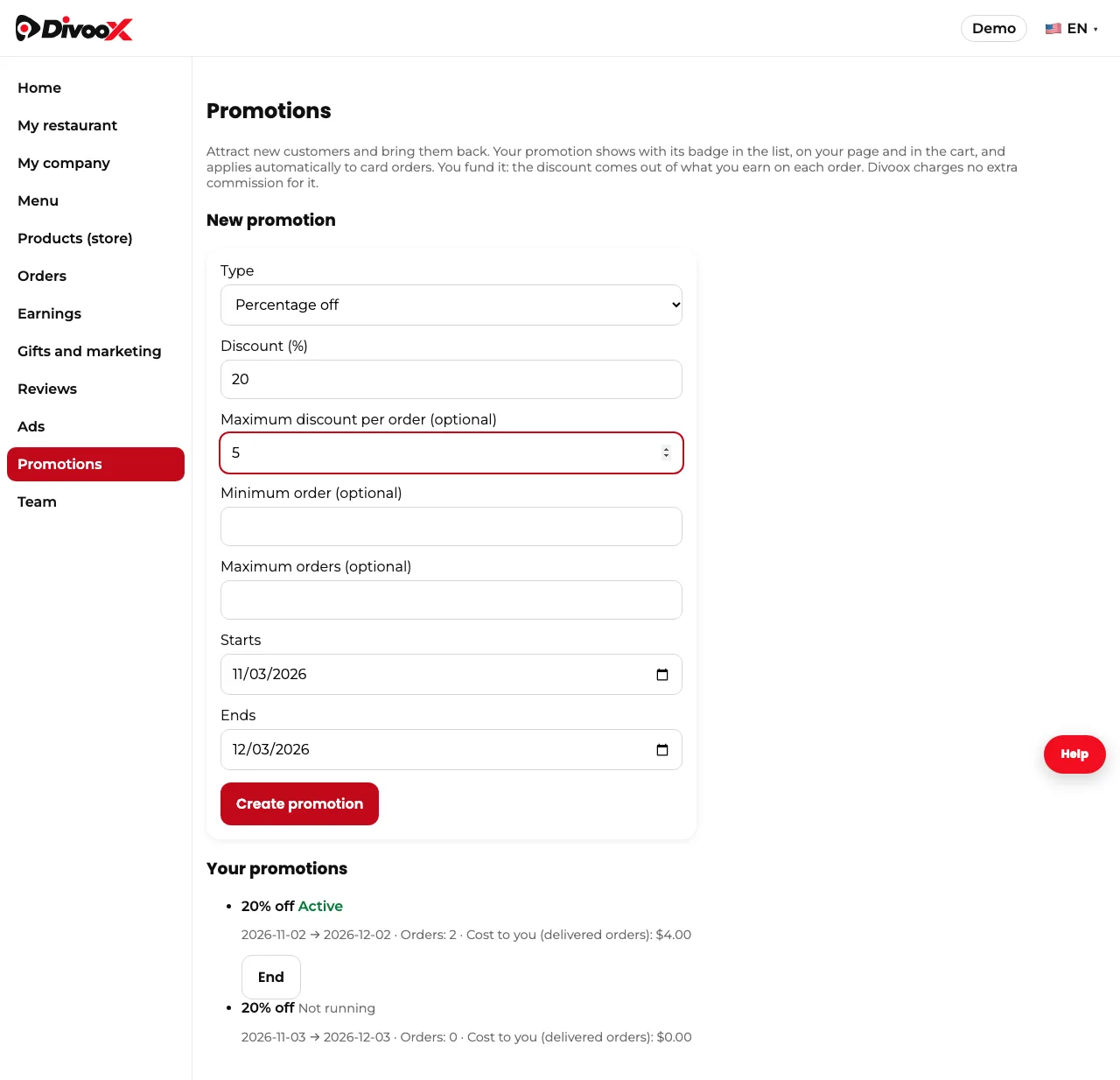
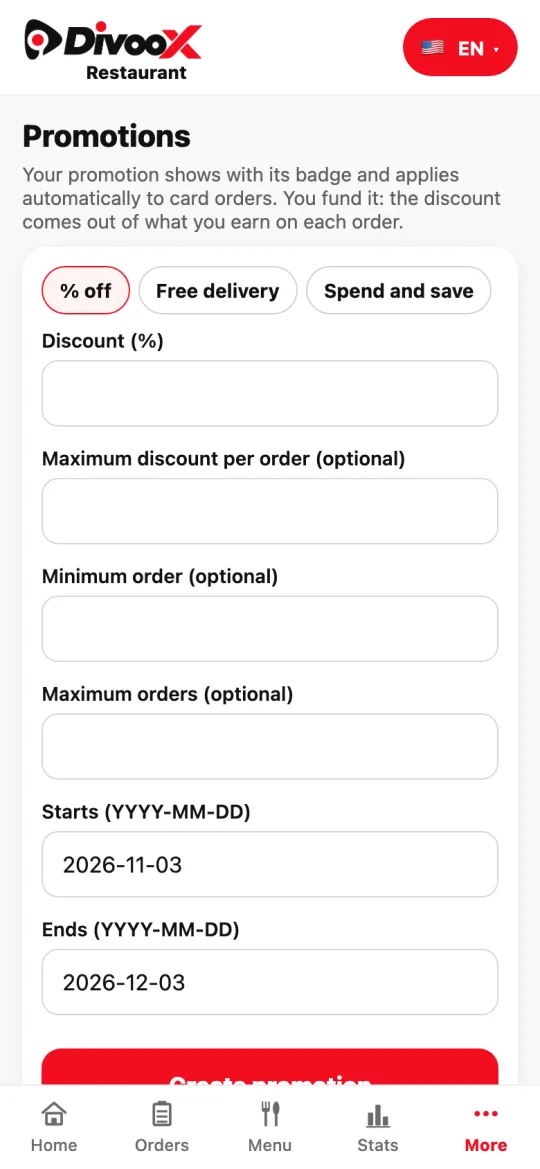
- In the dashboard, go to Promotions. In the restaurant app: More → Promotions.
- Pick the type: percentage off (1% to 50%, with a per-order maximum if you want), free delivery, or “spend X, save Y.”
- If you want, set a minimum order and a maximum number of orders. Choose when it starts and ends.
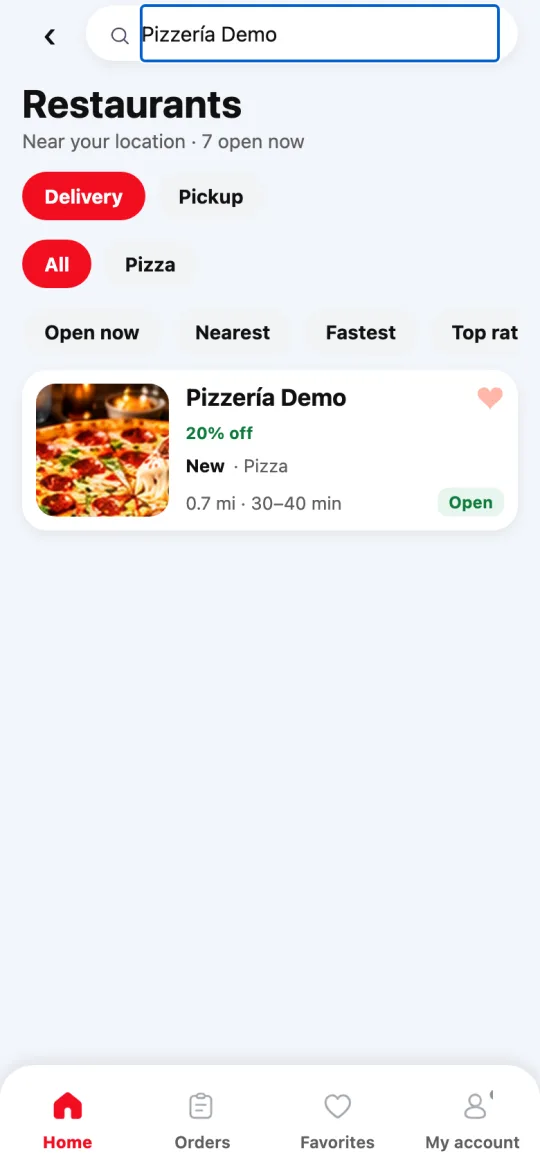
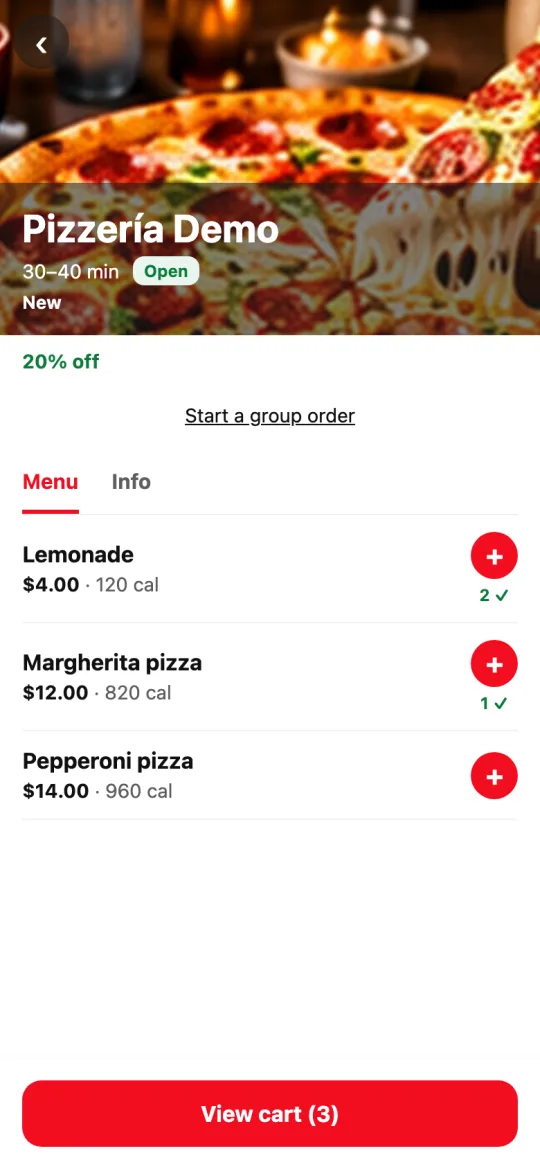
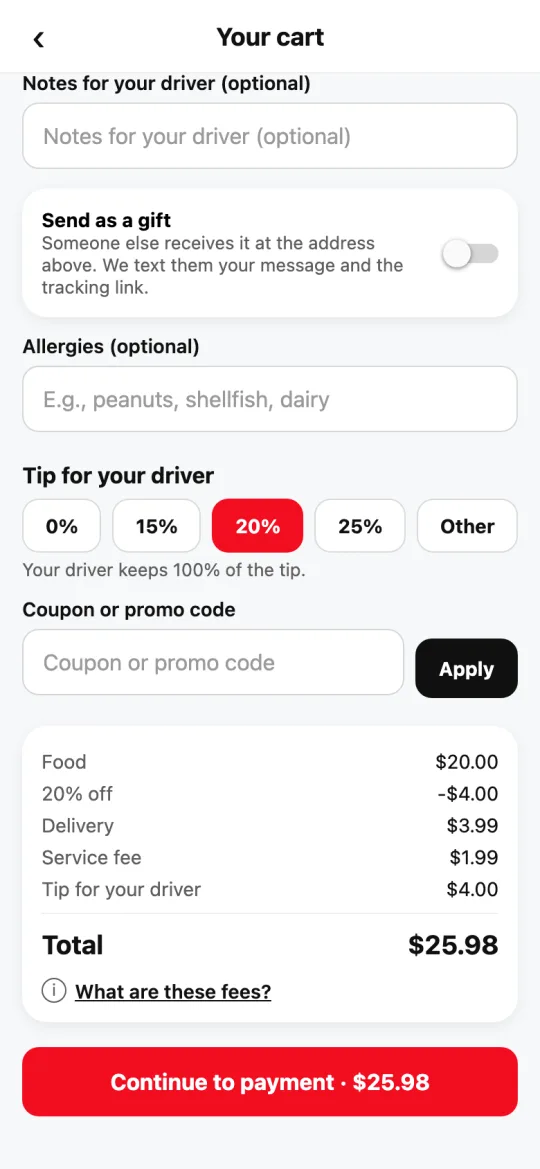
- Tap “Create promotion.” Customers see the badge in the restaurant list, on your page, and in the cart, and the discount applies automatically.
- On the same screen you see how many orders used it and what it cost you. To stop it early, tap “End.”
This guide answers
- How do I create a promotion for my restaurant?
- Who pays for my promotion’s discount?
- How do I offer free delivery from my restaurant?