
Items sold by weight: you pay the actual weight
Fruit, vegetables and meat are ordered at an estimated weight and charged at what they actually weigh, never more than 15% over.
How it works
At the grocery store, bananas, avocados or meat never weigh exactly the same. That’s why on Divoox these items show an estimated price: the average weight times the store’s price per pound or per kilo.
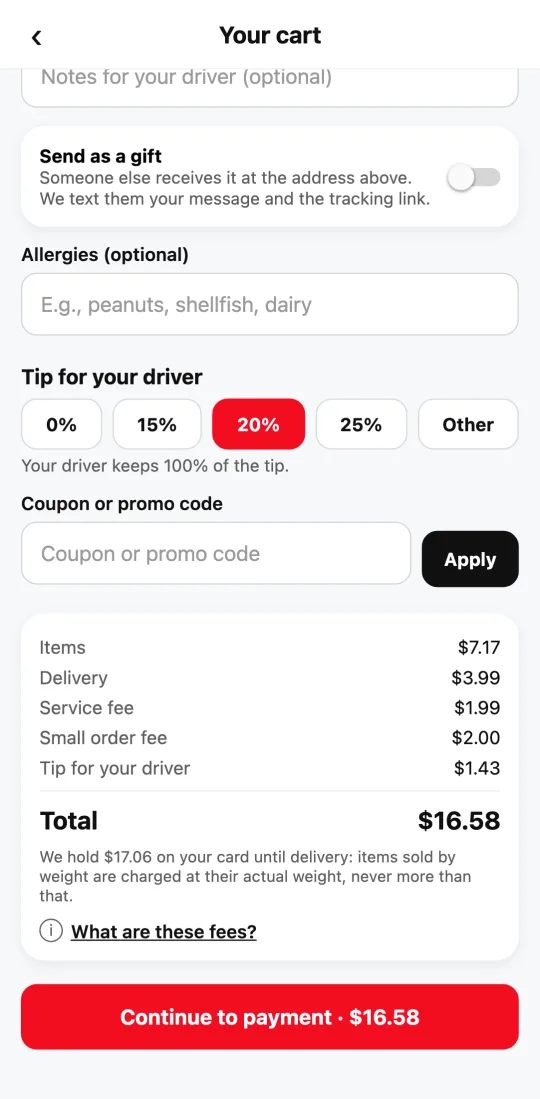
When you pay, we hold a little more than the total on your card: the estimated total plus a 15% margin on the items sold by weight. It’s a hold, not a charge. The cart shows exactly how much is held before you pay.
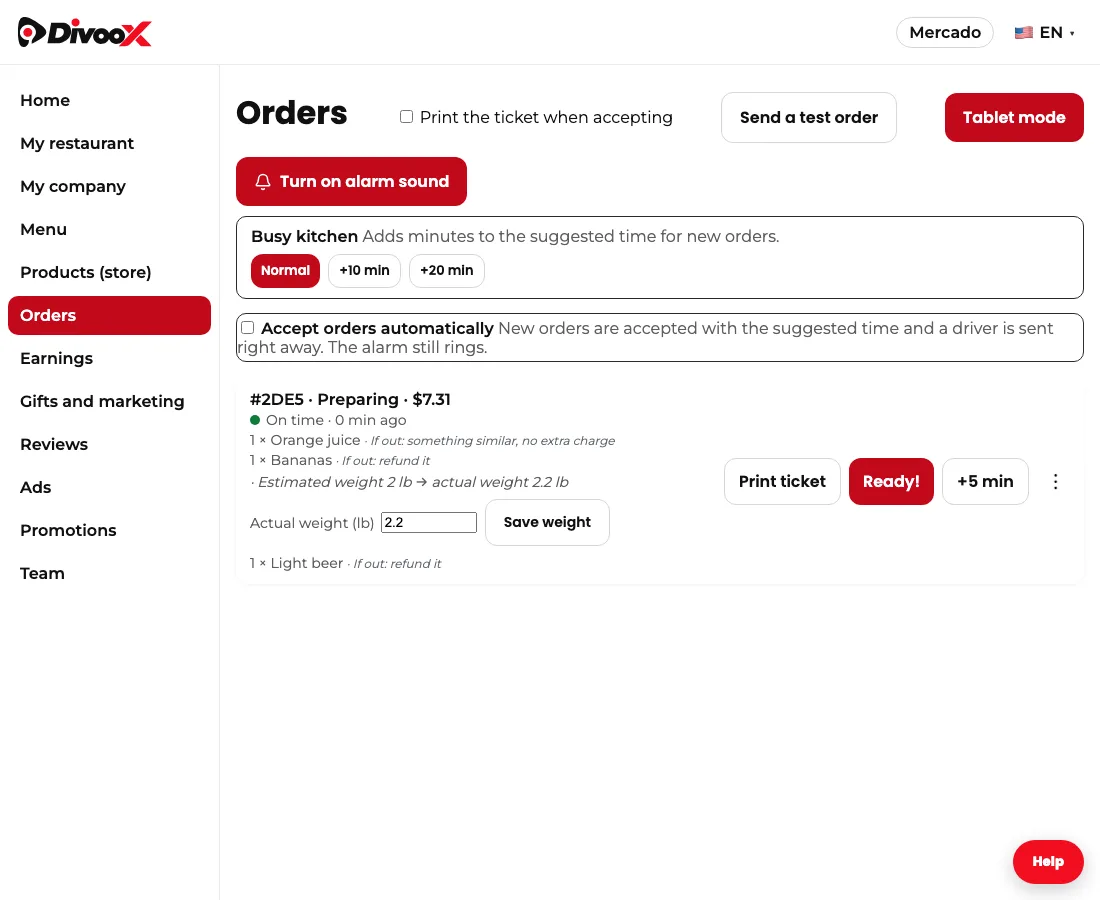
While preparing your order, the store weighs each item and enters the actual weight. The total updates on its own: if it weighs less, you pay less; if it weighs a bit more, you pay that bit more, but never more than 15% over the estimate. If the store has more than that, it takes some off or marks it as missing.
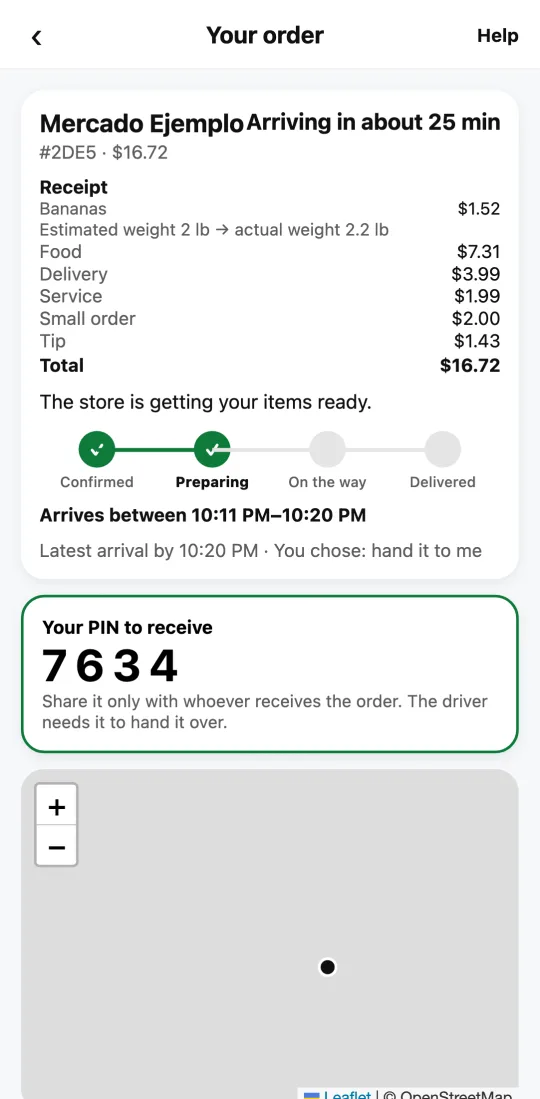
At delivery we charge the actual total and release the rest of the hold. In your order, the receipt shows each item with “Estimated weight → actual weight” and what it cost, so you can see where every cent comes from.
That’s how the big grocery delivery apps do it: hold a little more when you order and charge only what’s delivered. If you pay the driver in cash or by transfer, the rule is the same: you pay the actual total shown in your order.
Steps
- Add items sold by weight: the price you see is the estimate.
- In the cart, check how much is held on your card and pay.
- The store weighs each item while preparing your order.
- At delivery, the actual weight is charged; the rest of the hold is released.
- Open your order to see the estimated and actual weight on the receipt.
This guide answers
- Why does the price of fruit say “estimated”?
- Why is more than the total held on my card?
- How much more can I be charged for the weight?
- Where do I see how much my items weighed?