
Text messages (SMS): how to opt in or out
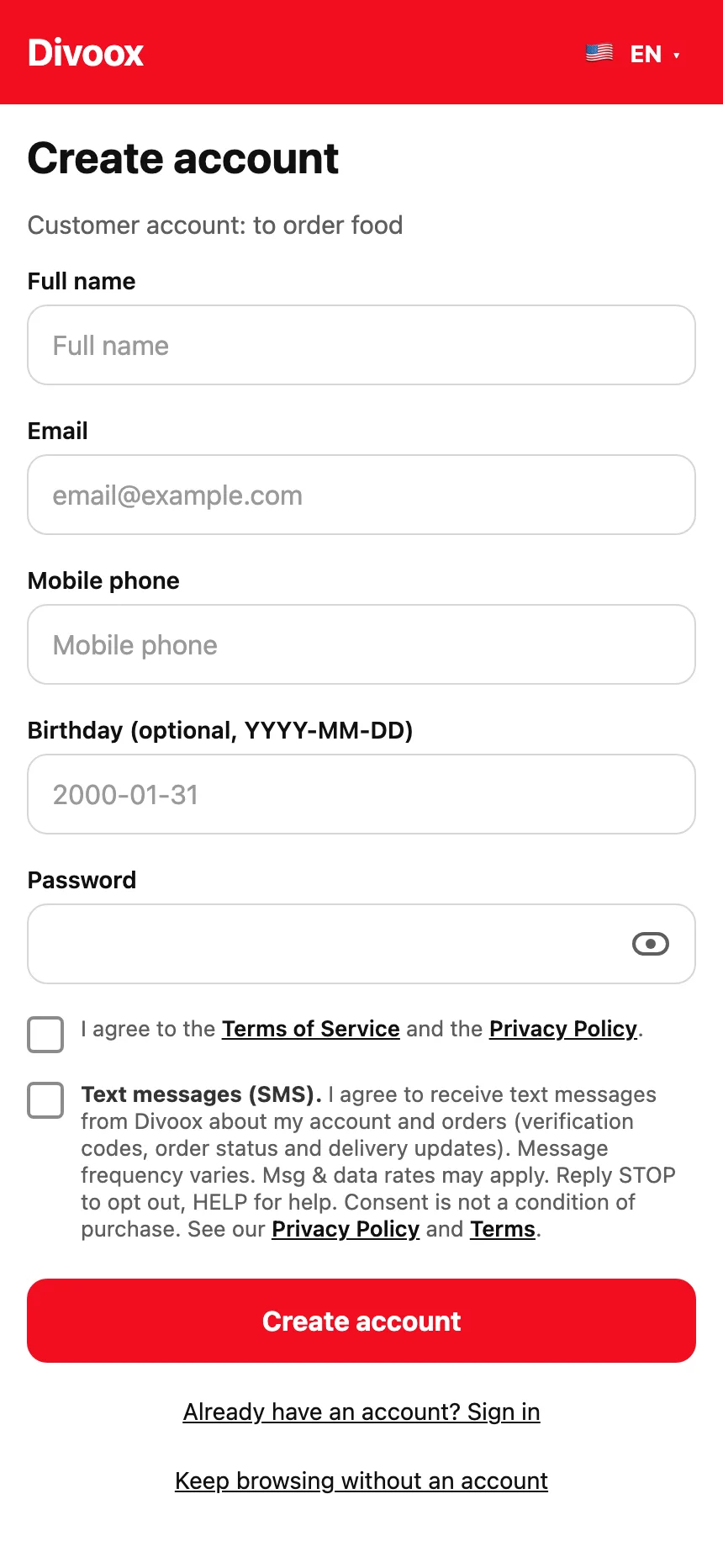
A separate, unchecked box when you create your account and in “My account.” You only get account and order texts if you check it yourself.
Steps
- When you create your account you’ll see two boxes. The first one accepts the Terms and the Privacy Policy. The second one, “Text messages (SMS),” is separate and starts unchecked.
- If you check it, Divoox texts you about your account and orders: verification codes, order status, and delivery updates. We don’t send marketing by text.
- It’s optional: you can create your account and order without checking it. You still get updates inside the app.
- To change your mind, go to “My account” and check or uncheck the text message box. You can also reply STOP to any message to opt out, START to opt back in, and HELP for help.
- Message frequency depends on your orders, and message and data rates from your carrier may apply. More details at divoox.com/sms-consent.
This guide answers
- How do I stop text messages from Divoox?
- Do I have to accept texts to order?