
Canceling an order that is already ready
A ready order already has food made and, sometimes, a driver on the way. That’s why you cancel it by asking support, with the reason. We tell you up front who covers the food.
How it works
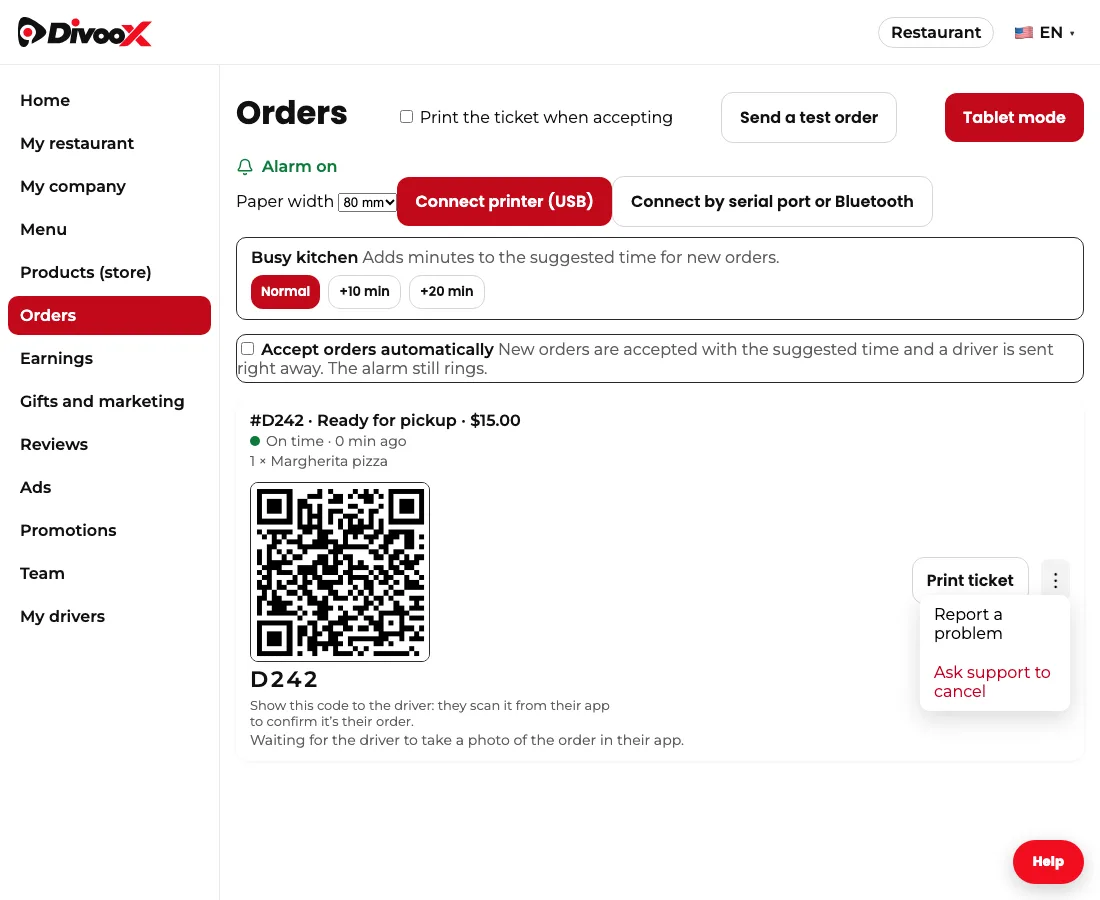
While an order is new or being prepared, you can reject it yourself from the three dots. Once you mark it “Ready,” the option changes to “Ask support to cancel”: that’s how the big delivery apps work too, because by then there is prepared food and an assigned driver.
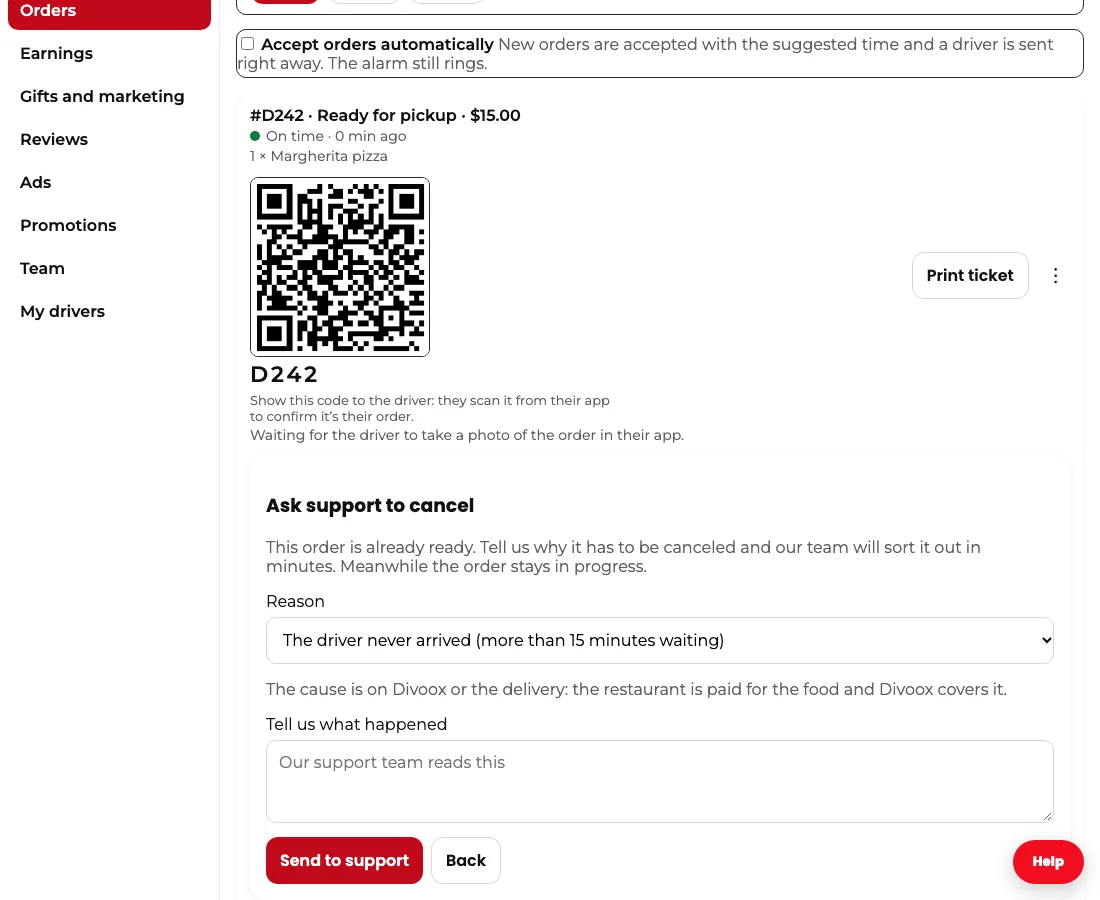
You pick the reason from a short list: an item ran out, the store closed, it was prepared wrong, the customer called to cancel, the driver never arrived after 15 minutes, or another. Under the reason you see who covers the prepared food: if the cause is the restaurant’s, the restaurant isn’t paid for it; if the cause is the customer’s, the delivery’s or Divoox’s, the restaurant is paid.
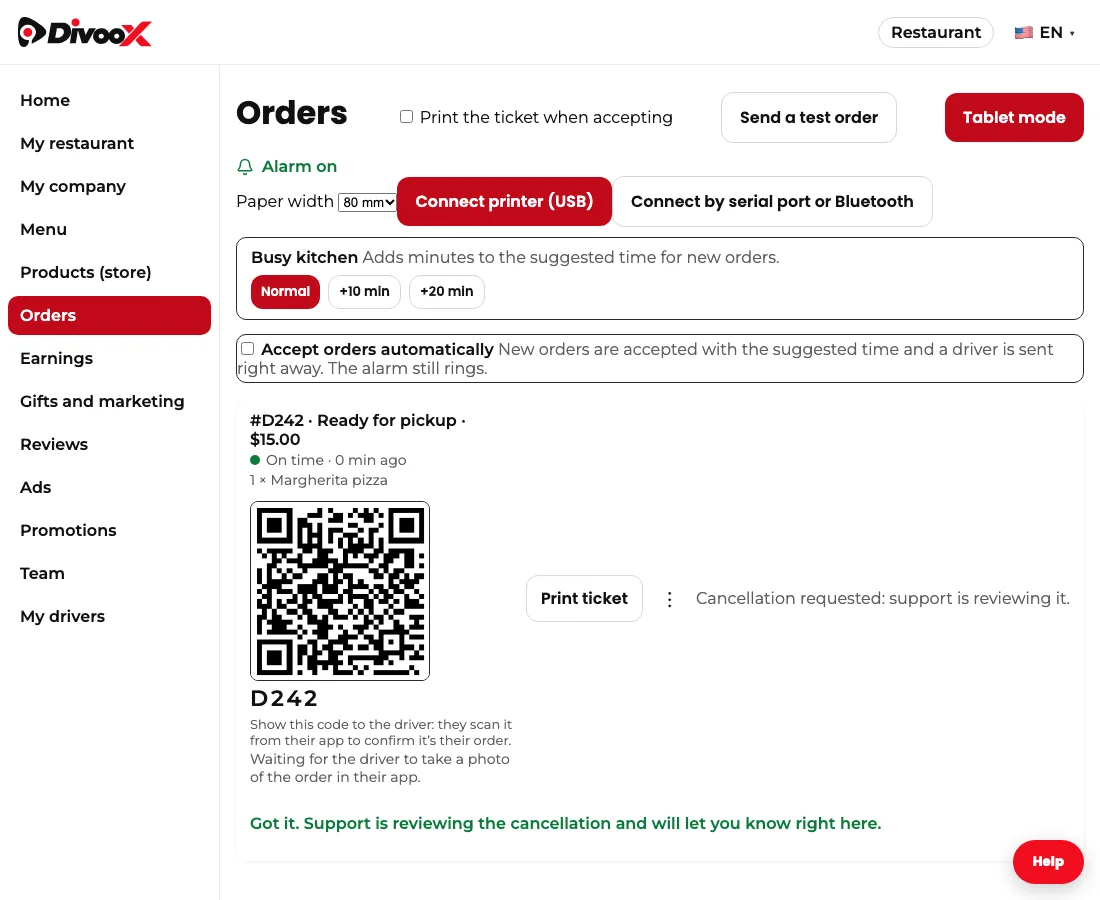
Our team reviews the request within minutes. If it’s approved, the order is canceled, the customer gets all their money back and the driver is told right away. If it isn’t, the order continues and you get the reason. Meanwhile you see “Cancellation requested” on the order.
Steps
- In “Orders,” find the ready order and tap the three dots.
- Tap “Ask support to cancel” and choose the reason.
- Read who covers the food, add a detail if needed and tap “Send to support.”
- Wait for the notice: if approved, the order is canceled and the customer is refunded. It works the same in the restaurant app, from the order’s three dots.
This guide answers
- How do I cancel an order that is already ready?
- Who pays for the food if a ready order is canceled?