
Register your motorcycle and documents for Divoox Moto
Choose your city, register your motorcycle, upload your documents with your camera, and track your approval in the app.
How it works
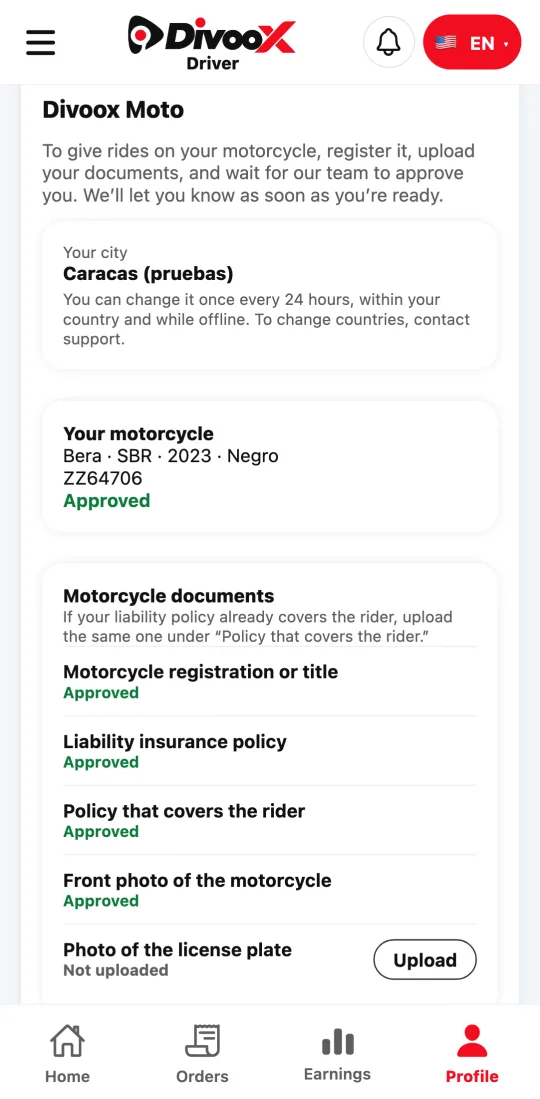
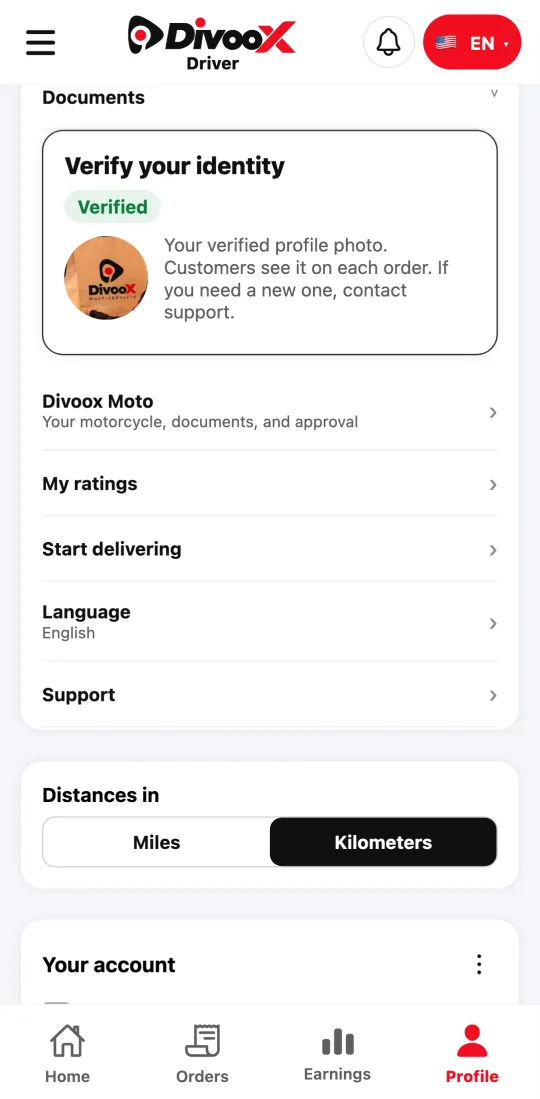
Divoox Moto opens city by city: you can sign up in the cities where Divoox Moto is open. Before you give rides, we get to know you: we verify your identity, your license, your background, and your motorcycle’s documents. That keeps riders and you safe.
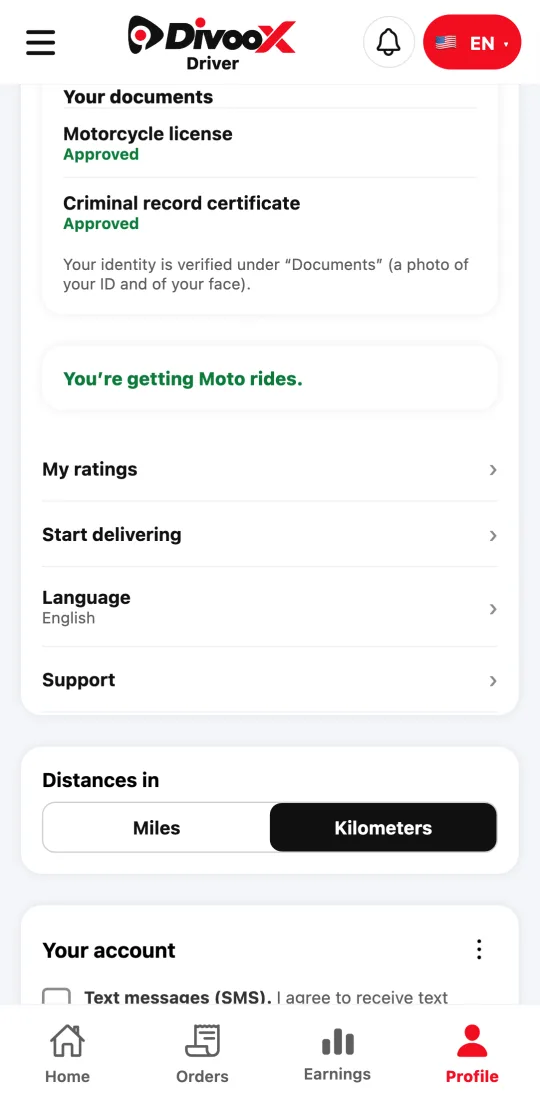
What we ask for depends on your country. In Venezuela, for example, you upload your motorcycle license and your criminal record certificate, and our team reviews each one.
Each document shows its status: not uploaded, under review, approved, or “needs a fix” with the reason. Once everything is approved, you turn on “Get Moto rides.”
Steps
- In the Divoox Driver app, go to Profile and tap “Divoox Moto.”
- Check your city and change it if needed (once chosen, you can change it once every 24 hours within your country).
- Enter your motorcycle’s make, model, year, color, and license plate, and tap “Save my motorcycle.”
- Upload each motorcycle document: tap “Upload” and choose “Take photo” or “Upload from files.”
- Upload your driver documents and verify your identity under “Documents.”
- Tap “Send my motorcycle for review.” We’ll let you know when it’s approved.
- Once everything is approved, tap “Use this motorcycle to work” and “Get Moto rides.”
If a document says “needs a fix,” read the reason and upload it again: you don’t have to start over.
This guide answers
- What documents do I need to drive with Divoox Moto?
- How do I upload a photo of a document?
- How long does approval take?