
Divoox Flex: what the recipient sees when tracking their package
With the tracking number, anyone sees the status, the estimated time and how many stops are left; with the link the company sends, the recipient can also mark their location and see the delivery photo.
How it works
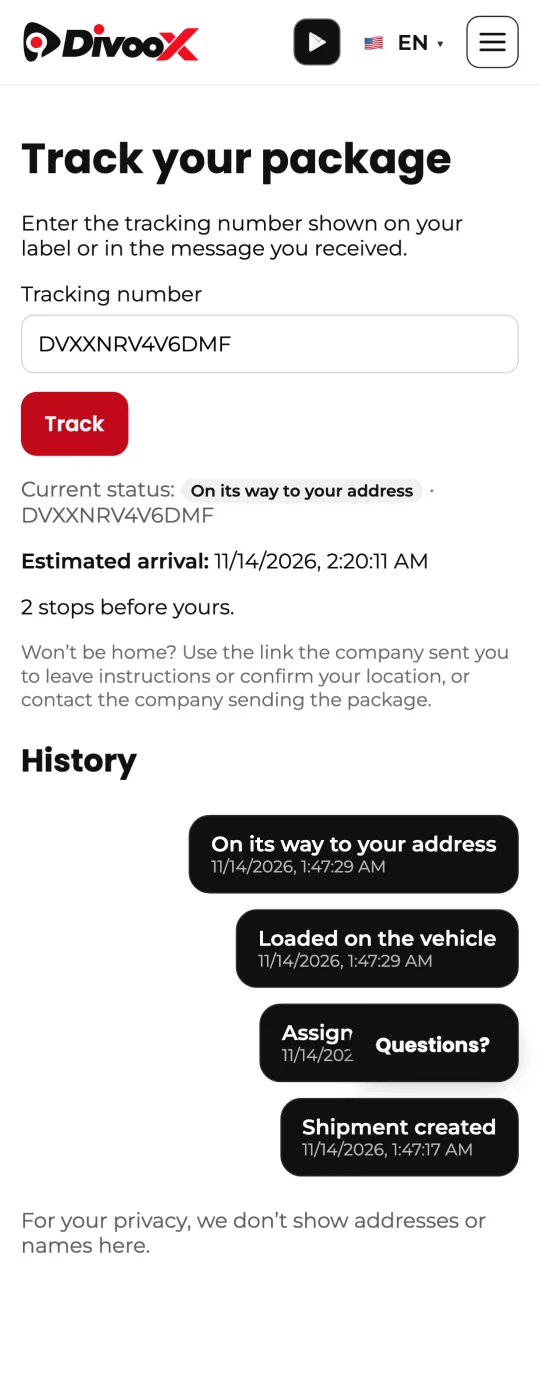
With the tracking number (it starts with DVX), anyone can see the current status and the history with dates and times in “Track a package”. If the route already has its times, they also see the estimated arrival and, while the driver is out, how many stops are before theirs.
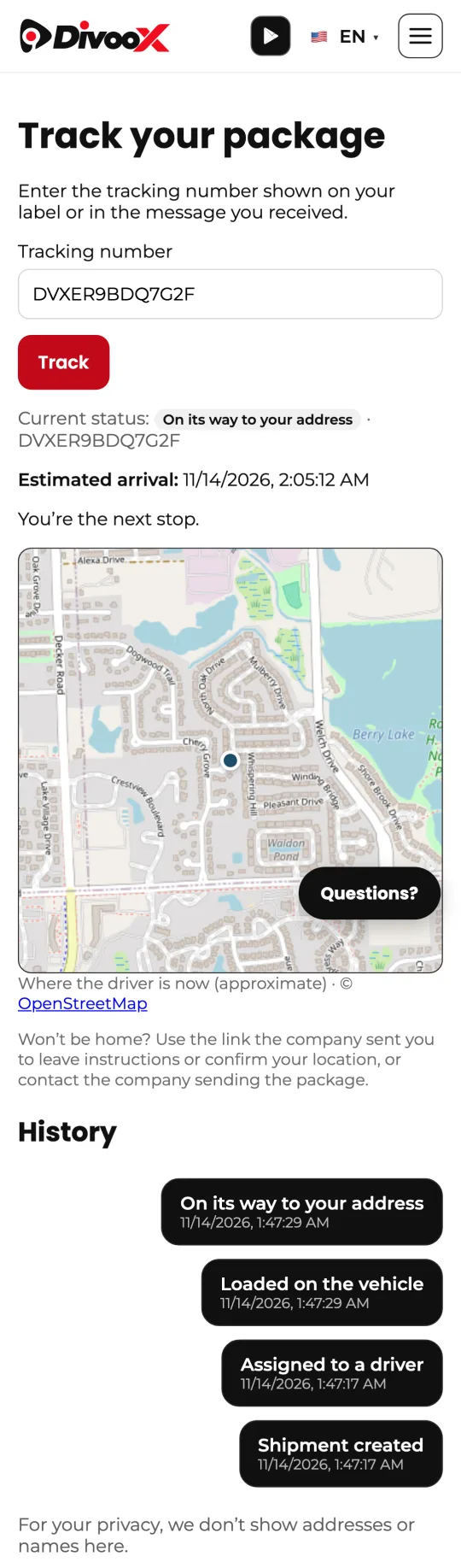
When their package is the next stop, a map shows where the driver is, approximately (rounded to about 100 meters) and only if the location is recent. Once delivered, it says where it was left: handed over, at the front desk, at the door or in the mailbox.
The tracking number never shows names, phone numbers, addresses or the delivery photo. The photo can only be seen in the personal link the company sends the recipient, for 14 days.
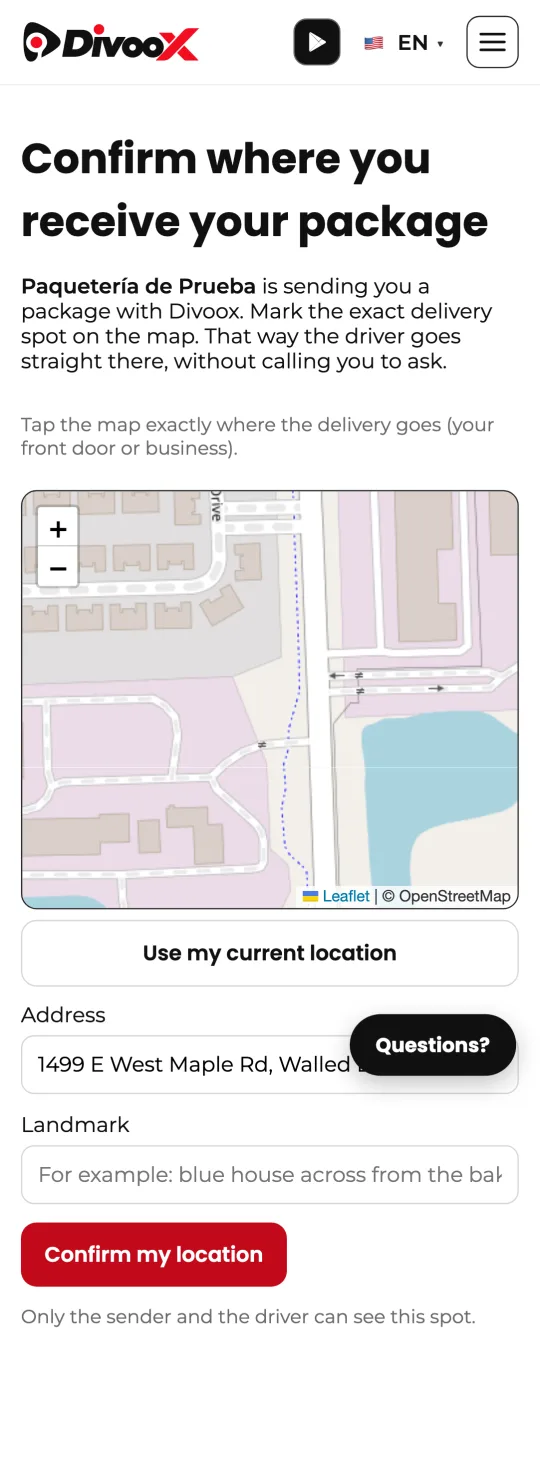
Before the package leaves, that same link lets the recipient mark the exact delivery spot on the map and add a landmark. That way the driver goes straight there, without calling.
Steps
- Open “Track a package” and enter the tracking number that starts with DVX.
- Check the status, the estimated arrival and how many stops are left.
- If you got the company’s link, open it and mark your delivery spot before the package leaves.
- After delivery, open the same link to see the photo.
The company sends the link from the shipment’s detail page with “Ask the recipient for their location” (guide “the exact location of each recipient”).
This guide answers
- How do I track my package with the tracking number?
- What time will my package arrive?
- Where do I see the delivery photo?
- How do I tell the driver where to deliver?