
Delivering packages with Divoox Delivery
Pick up the package, take a photo of it and deliver it with the recipient’s PIN.
How it works
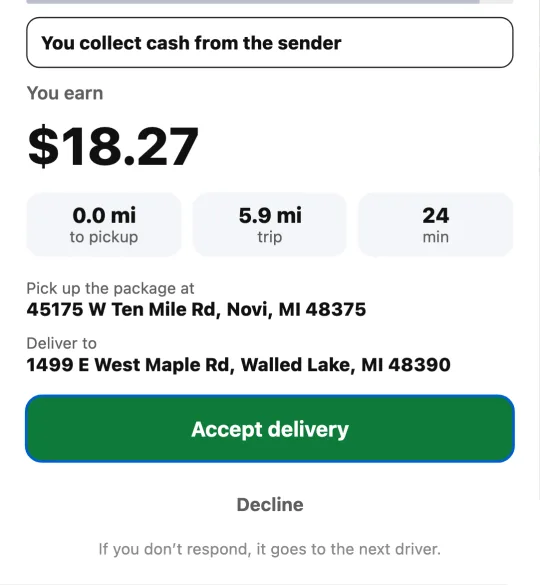
The offer shows what you earn, how you get paid, the distance to the pickup and of the trip, the estimated time, where you pick up and where you take the package. If you don’t respond in time, it goes to the next driver.
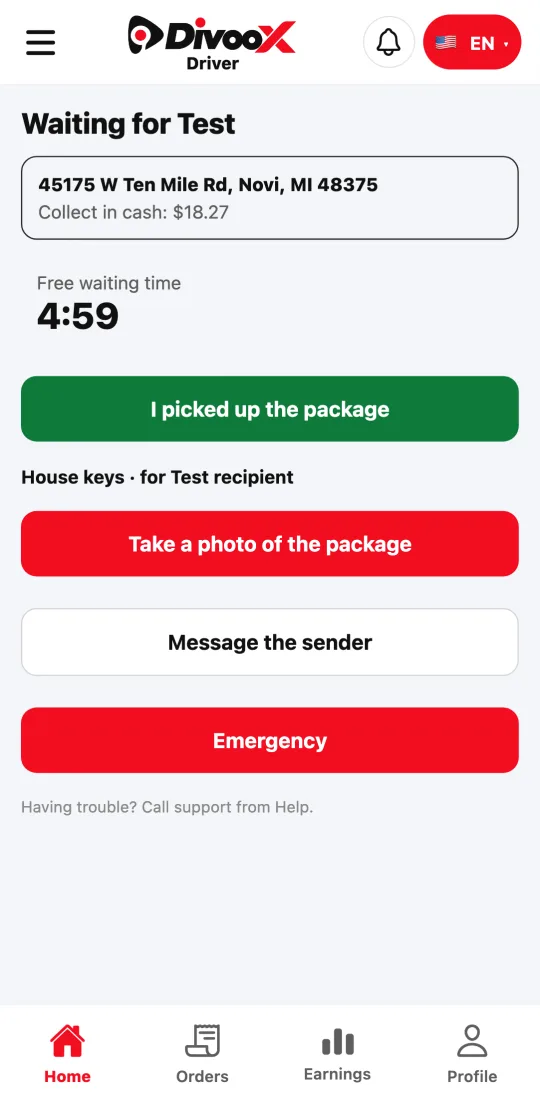
At pickup, tap “I’ve arrived”, get the package and take its photo: you can’t start without it. Then tap “Start ride” and take it to the drop-off address.
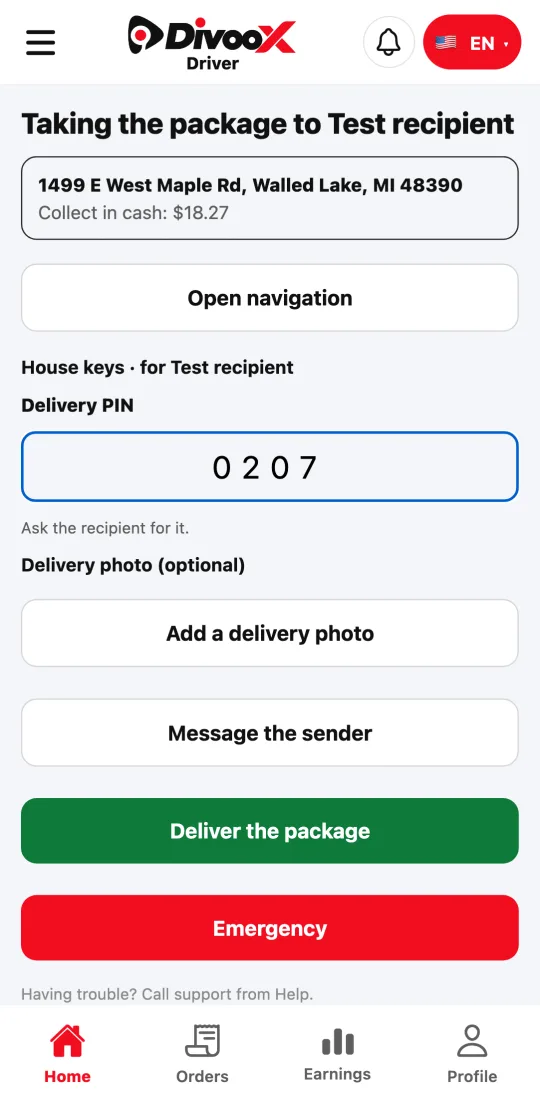
When you get there, ask the recipient for the delivery PIN, enter it and tap “Deliver the package”. If the delivery is paid in cash, the app tells you how much to collect.
Steps
- Accept the offer and go to the pickup.
- Tap “I’ve arrived”, get the package and take its photo.
- Tap “Start ride” and take it to the drop-off address.
- Ask for the delivery PIN, enter it and tap “Deliver the package”.
- If the recipient doesn’t have the PIN, call support from the app.
This guide answers
- How do I deliver a Divoox Delivery package?
- Why do I have to take a photo of the package?
- What do I do if the recipient doesn’t have the PIN?