
Packages by size and delivery photo
You get deliveries that fit your vehicle, and you can leave a photo at drop-off.
How it works
Every delivery has a size. On a motorcycle you get envelopes and small packages; if your motorcycle has a delivery box, medium ones too. By car you get all sizes.
To get medium packages on a motorcycle, check “My motorcycle has a delivery box” when you register it.
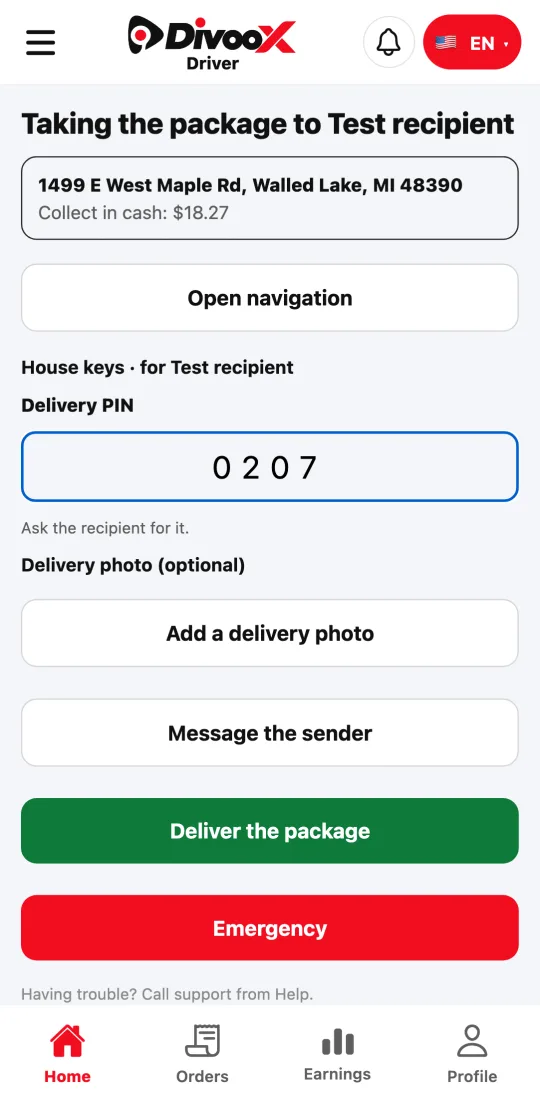
At drop-off, ask the recipient for the PIN. To keep a record, tap “Add a delivery photo” and choose “Take photo” or “Upload from files” before finishing.
Steps
- Register your motorcycle and check whether it has a delivery box.
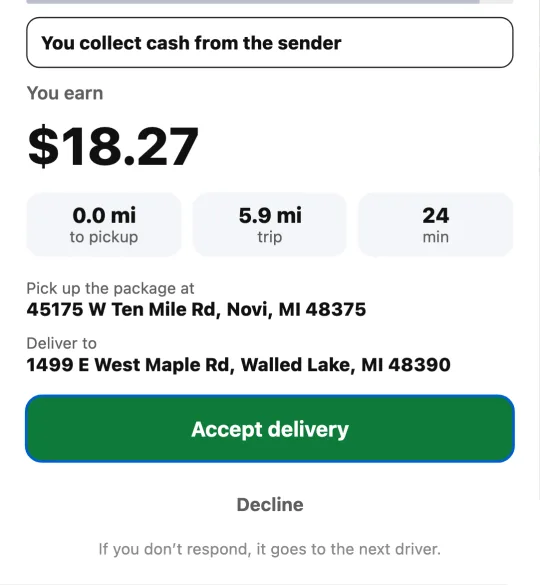
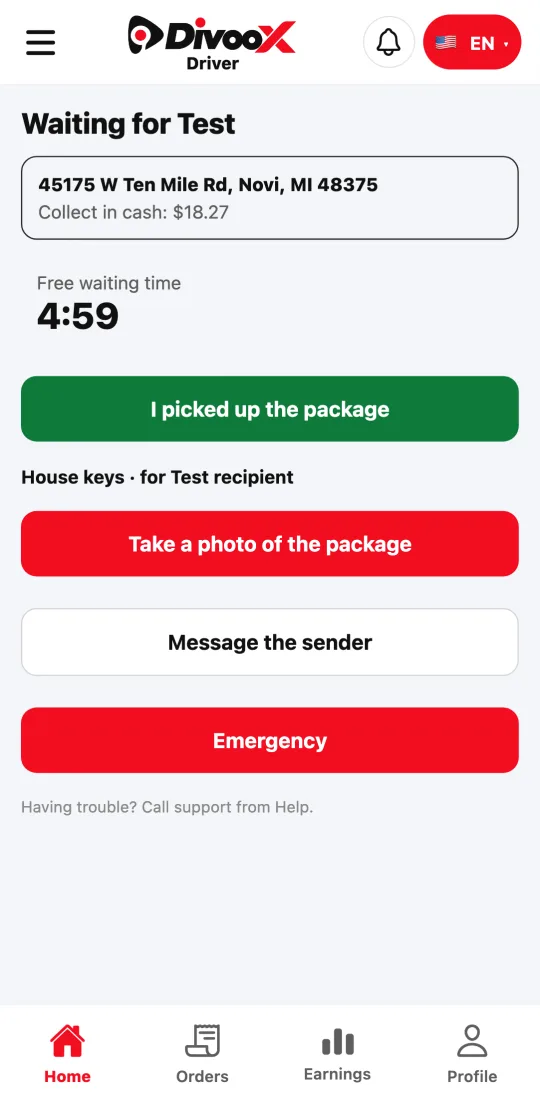
- Accept the delivery and take the package photo at pickup.
- When you arrive, enter the recipient’s PIN and, if you want, leave a delivery photo.
- Tap “Deliver the package.”
This guide answers
- Which packages can I get on a motorcycle?
- How do I leave a delivery photo?