
Divoox Flex: top up your wallet by mobile payment, bank transfer, Zelle or cash
In Venezuela you pay by mobile payment, bank transfer, Zelle or cash, report the payment with its reference number and a photo of the receipt, and our team verifies it and adds the balance.
How it works
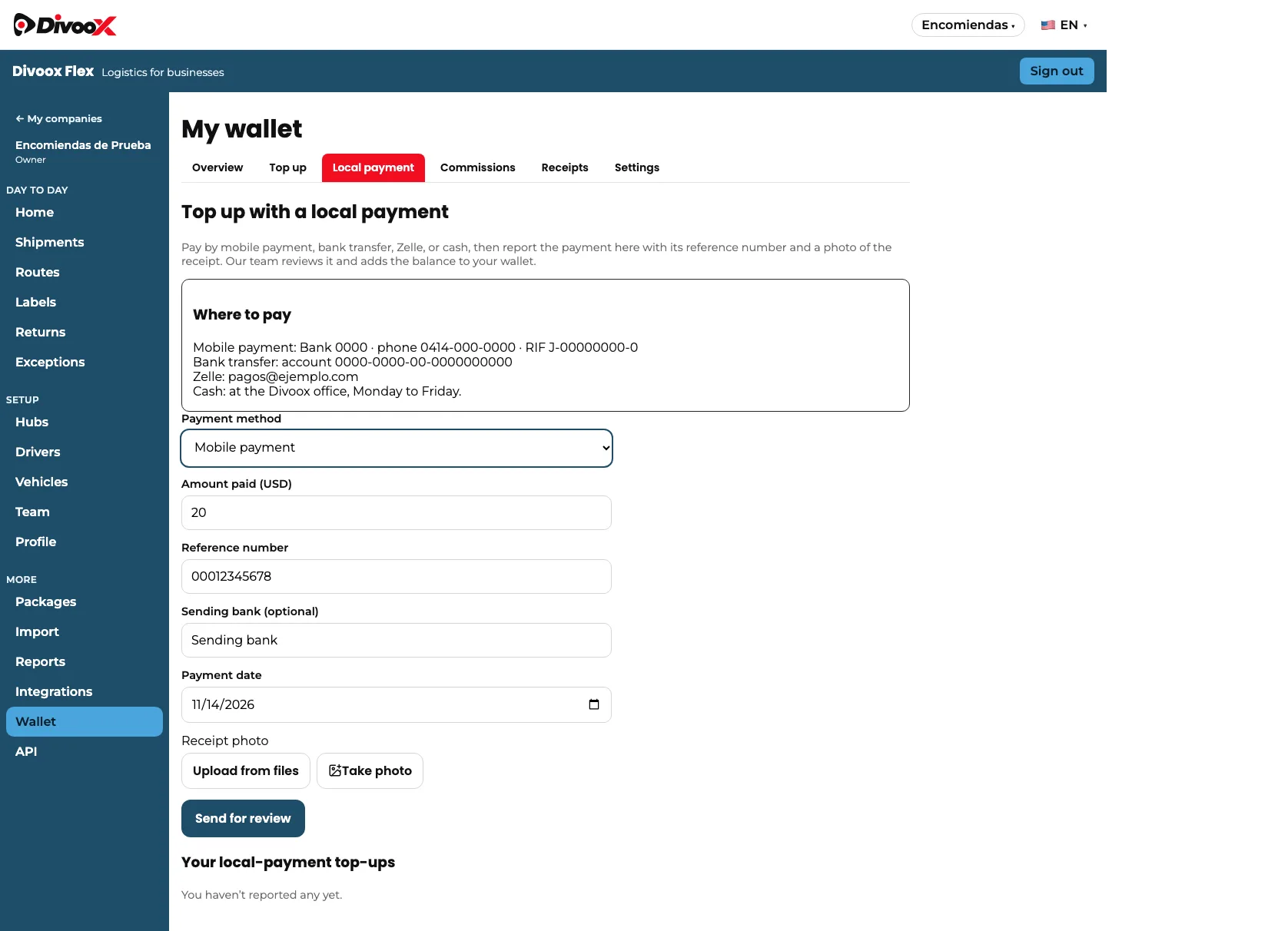
In countries where you can’t top up with a card, such as Venezuela, your company wallet has a “Local payment” tab. There you’ll see “Where to pay”: the mobile payment details, the account for bank transfers, the Zelle email and where to pay in cash.
After you pay, you report the top-up: choose the method, enter the amount paid, the reference number, the sending bank (optional) and the date, and upload a photo of the receipt or take one with the camera. The amount has to be between your country’s minimum and maximum.
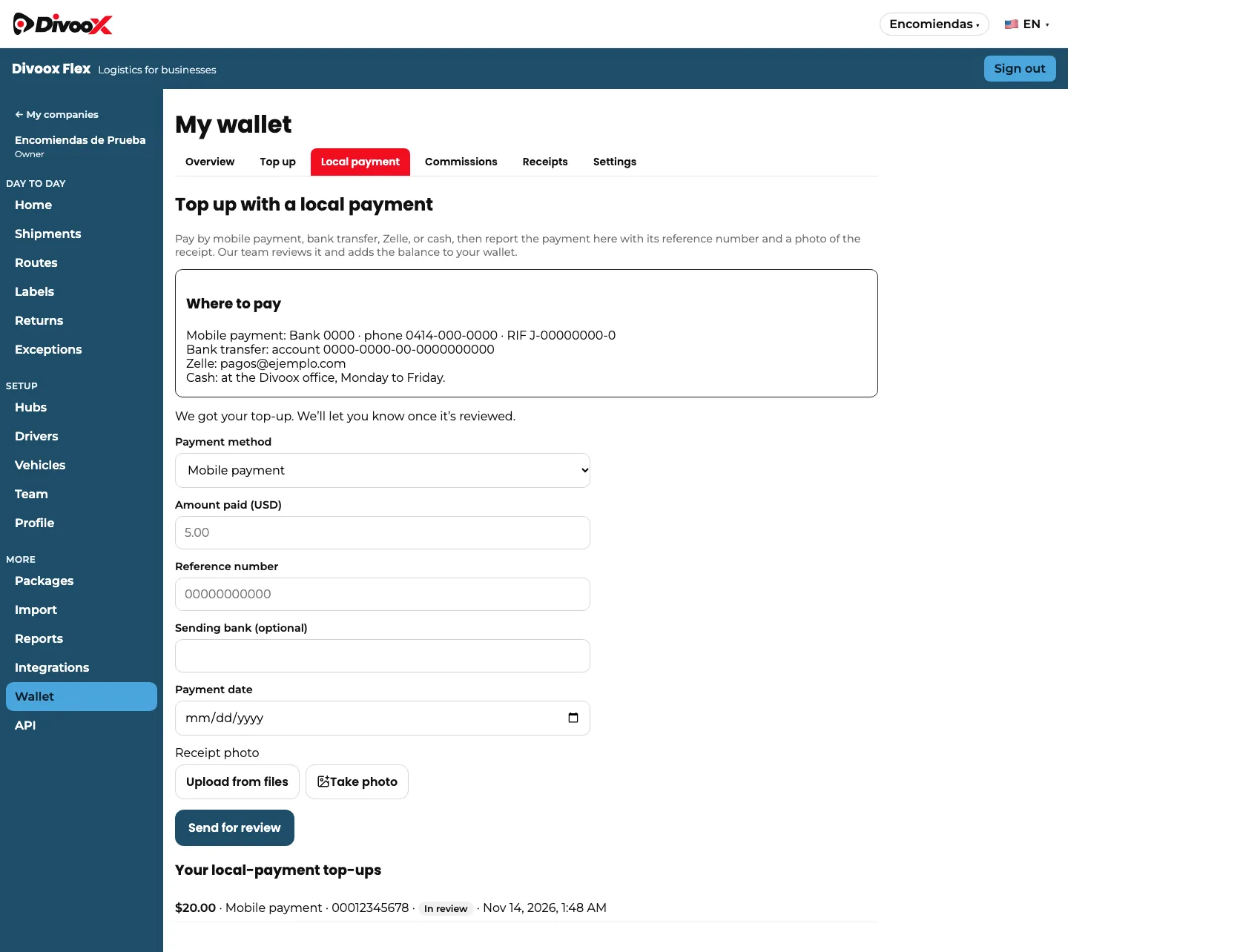
The top-up shows as “In review”. Our team matches the payment against the receipt and credits it only once: even if you tap twice, it isn’t added twice. If something doesn’t match, the team declines it and tells you why.
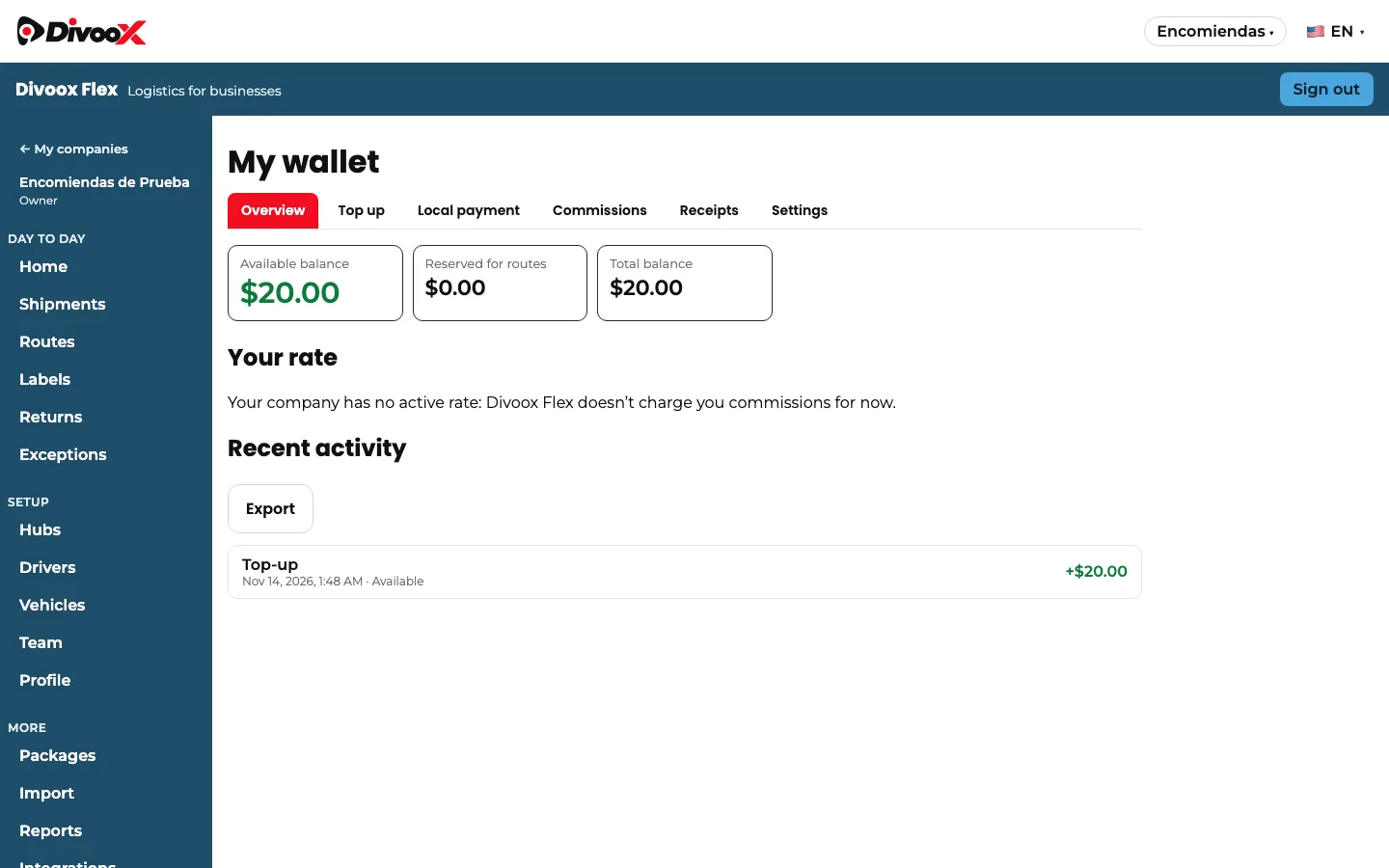
Once it’s credited, the balance shows up in “Overview” and the top-up appears in your activity. If you had an outstanding balance, the top-up pays it first and the rest goes to your available balance.
Steps
- In your company dashboard, go to “Wallet” and open the “Local payment” tab.
- Pay using the “Where to pay” details by mobile payment, bank transfer, Zelle or cash.
- Choose the method and enter the amount, reference number, bank (optional) and payment date.
- Upload a photo of the receipt or take one with the camera, and tap “Send for review”.
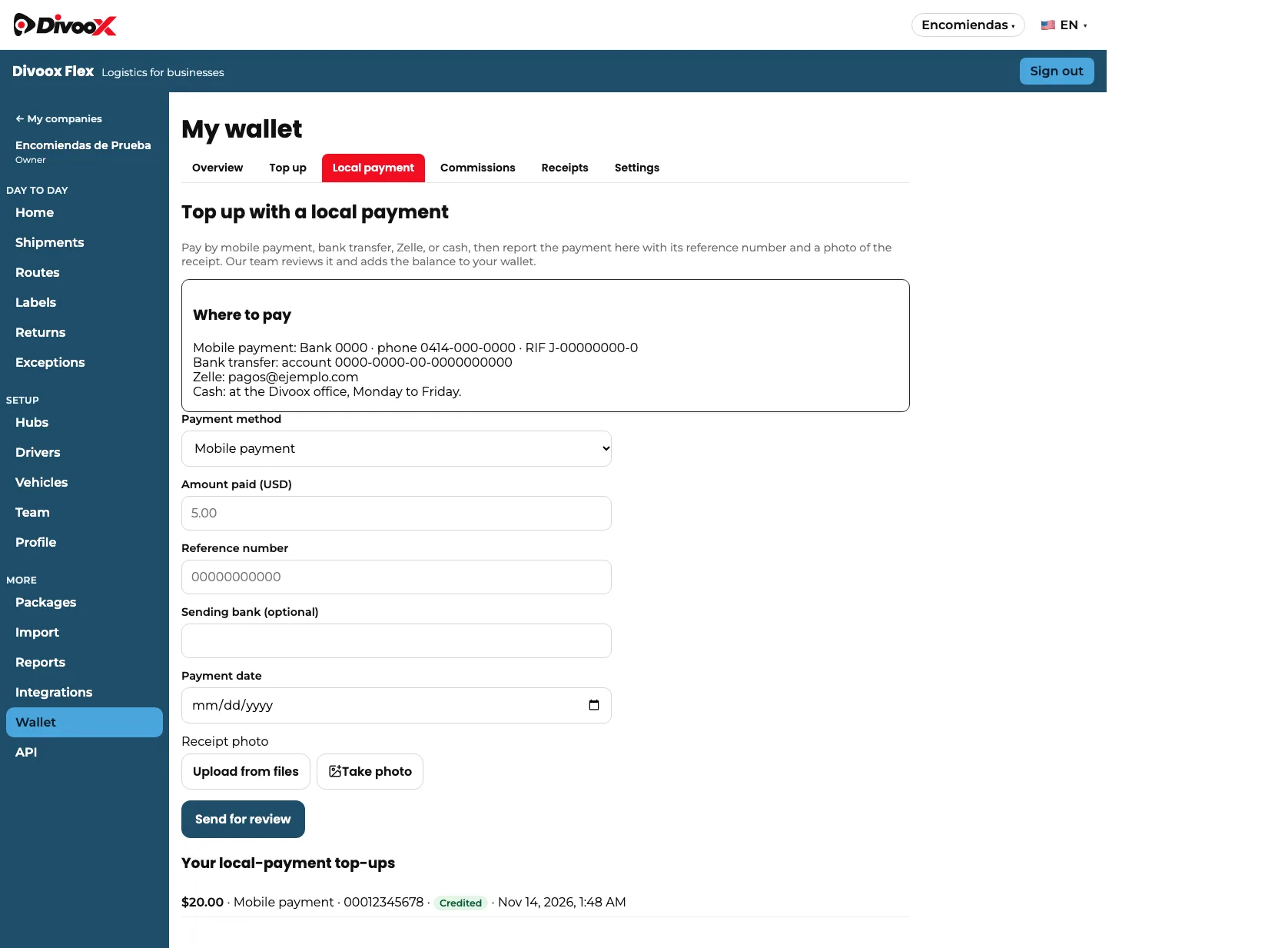
- When the top-up changes to “Credited”, check your balance in “Overview”.
Local-payment top-ups are turned on country by country. Keep your receipt until the top-up is credited.
This guide answers
- How do I top up with mobile payment in Divoox Flex?
- Can I top up my wallet with Zelle or a bank transfer?
- How do I top up with cash?
- How long until my top-up shows up?
- Why was my top-up declined?