
Pay, tip, and see your rides in Car
Pay with cash, mobile payment, or card depending on your country, tip when you arrive, and find the receipt and help in “My rides.”
How it works
With cash, you pay the driver when you arrive. With a card, we authorize the fixed price when you request and charge it when the ride ends.
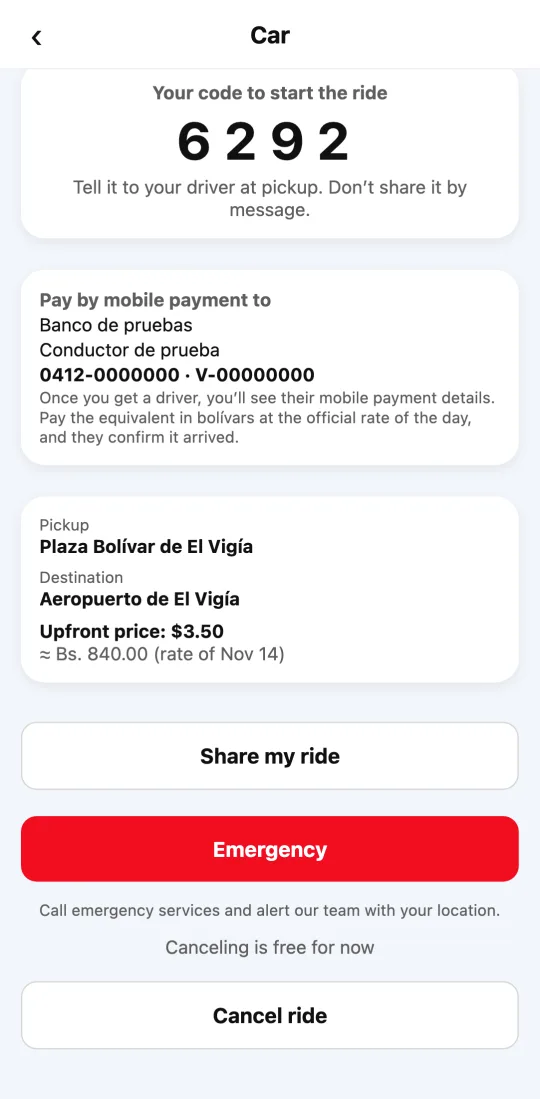
Where mobile payment exists (for example, in Venezuela), you see your driver’s mobile payment details in the app as soon as they’re assigned. You pay the equivalent in bolívares at the day’s official rate, and the driver confirms in their app that it arrived.
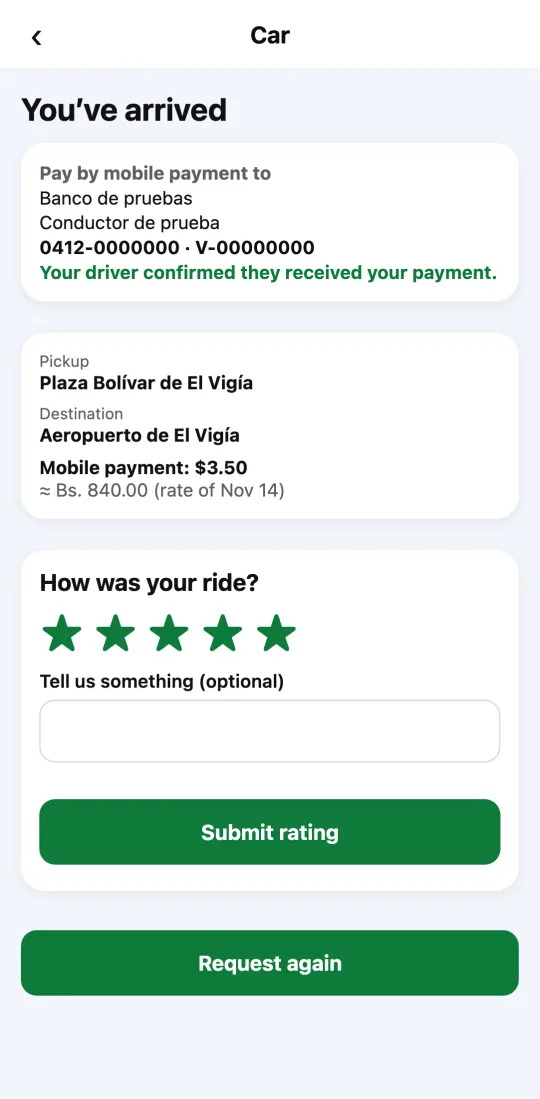
When you arrive you rate the ride with stars and a comment. If you paid by card, you can also tip your driver in the app; they get the whole tip. With cash or mobile payment, you tip them directly.
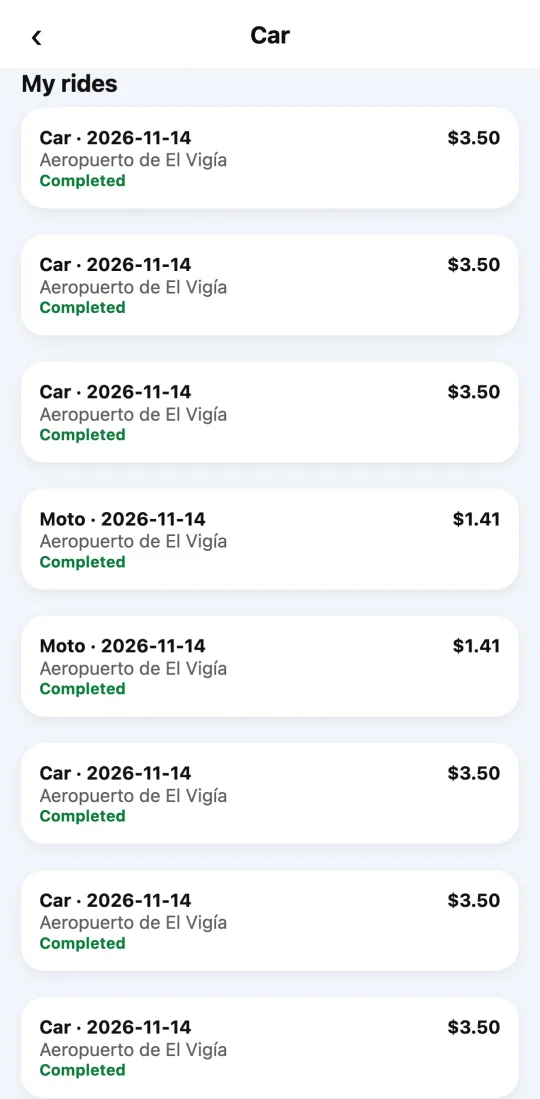
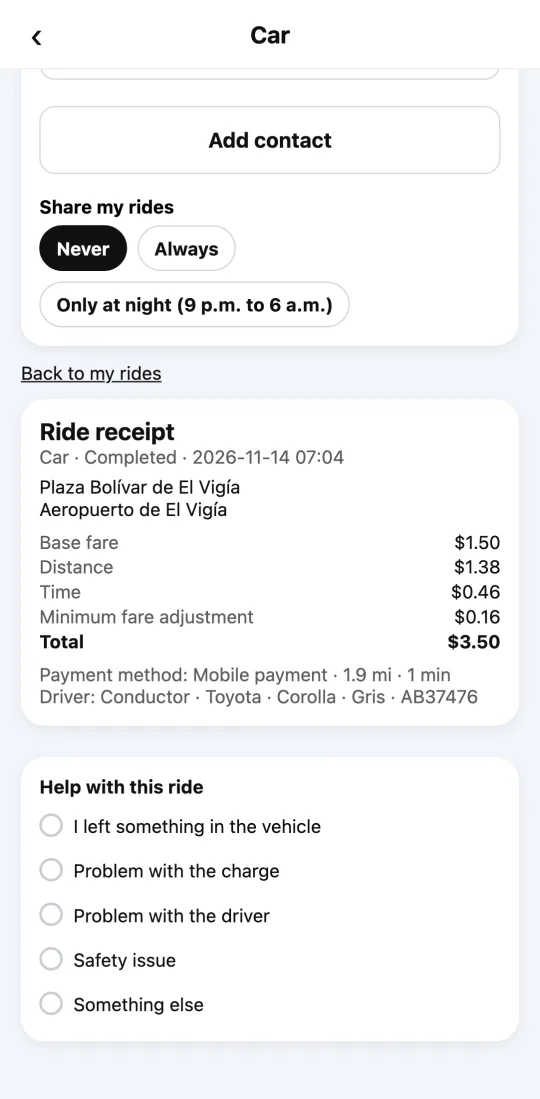
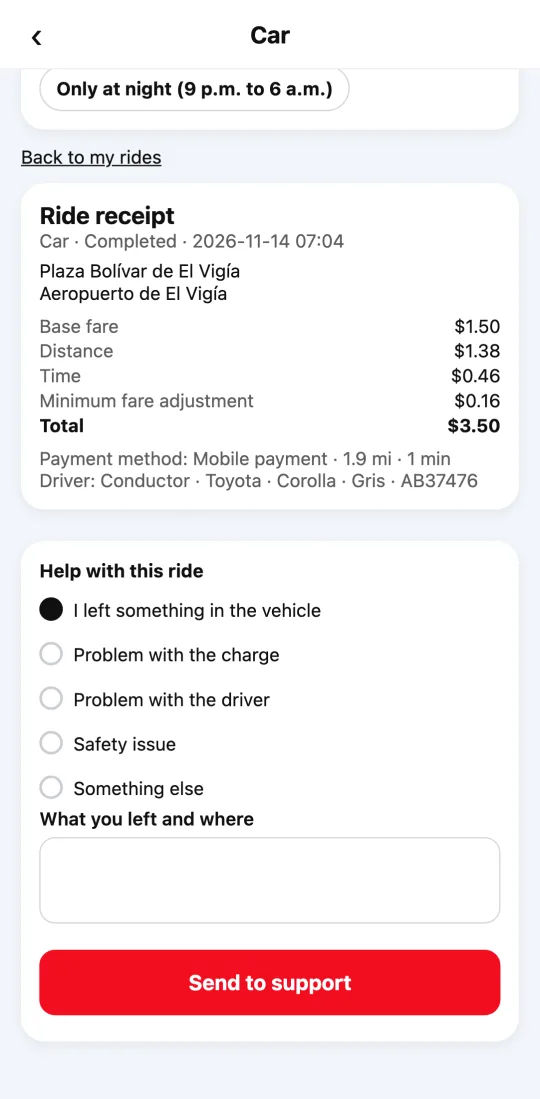
“My rides,” below the Car screen, lists your past rides. Each one opens its receipt with the price breakdown, payment method, driver, and car.
If you left something in the car, open that ride and choose “I left something in the vehicle.” We let the driver know and open your case; our team arranges the return with you. For safety, we don’t share phone numbers.
Steps
- When you request, choose the payment method the app shows you.
- With mobile payment, pay to the details shown in the ride; with cash, pay when you arrive.
- When you arrive, rate the ride. If you paid by card, you can tip in the app.
- To see a past ride, open “Car” and scroll down to “My rides.” Tap the ride to see its receipt.
- If you left something, in that ride tap “I left something in the vehicle,” tell us what and where, and tap “Send to support.”
This guide answers
- How do I pay for a car ride?
- Can I pay for a taxi with mobile payment?
- Can I tip my driver?
- Where do I see my ride receipt?
- What do I do if I left something in the car?