
Sign up for Divoox Car: your car and your documents
Register your car with its seats, upload the car’s documents and your own, and track your approval in the app.
How it works
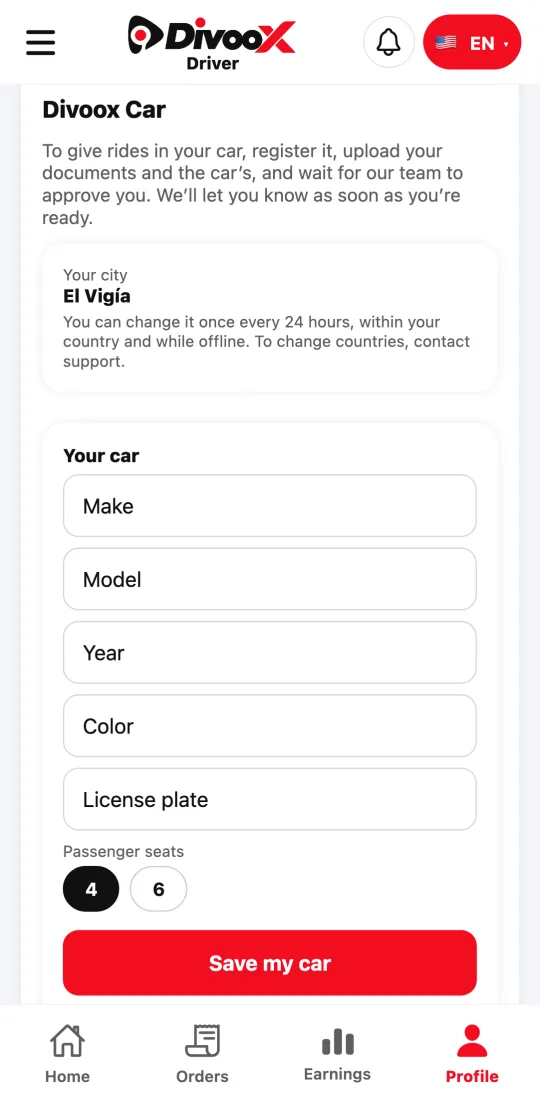
To give rides in your car, open “Divoox Car” in Profile in the Divoox Driver app. There you see your city, register the car, and upload what your country requires.
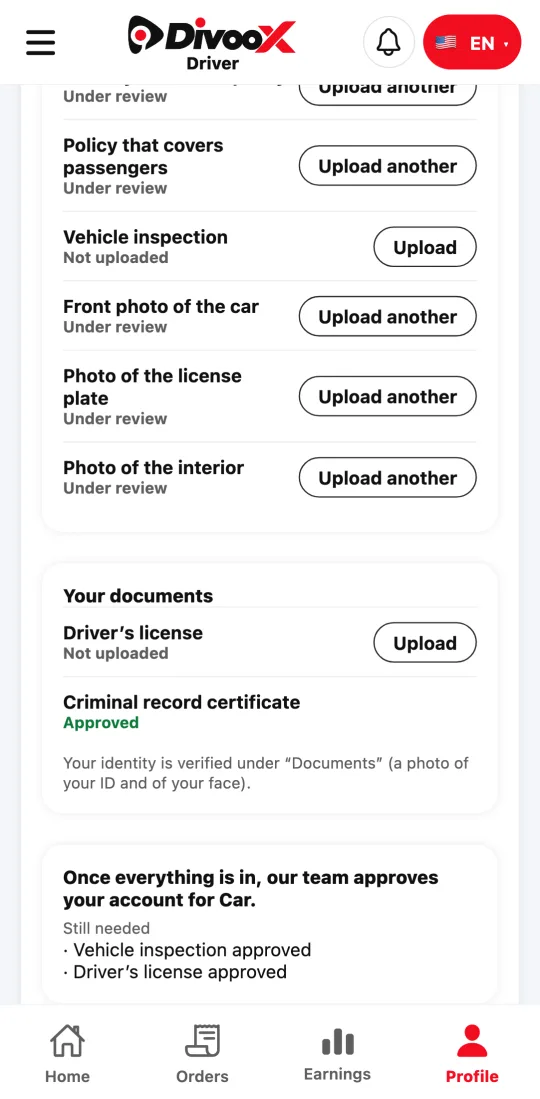
For the car you enter the make, model, year, color, license plate, and seats: four for Car or six for Car XL. Then you upload its documents (title or registration card, the car’s insurance policy, and the one that covers riders) and its photos.
Your personal documents depend on the country; for example, your driver’s license. The app tells you, one by one, what’s missing.
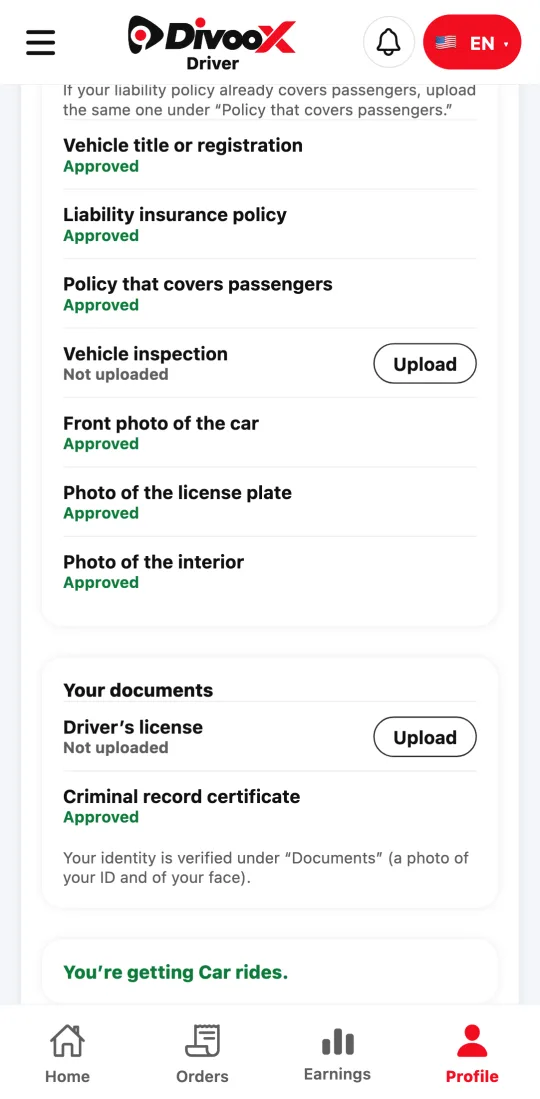
Our team reviews everything. Meanwhile you see “Still needed” with what’s pending; once you’re approved, the app says “You’re receiving Car rides.”
Steps
- In Divoox Driver, tap “Profile” and open “Divoox Car.”
- Check your city.
- Enter your car’s details, choose its seats, and tap “Save my car.”
- Upload the car’s documents and photos and your personal documents, and send them for review.
- Check the list of what’s still needed until it says you’re receiving Car rides.
If a document is rejected, the app tells you why and you can upload it again.
This guide answers
- How do I sign up as a taxi driver on Divoox?
- What documents does Divoox Car require?
- How do I know I’m approved for Car?