
Receive and complete Divoox Car rides
Accept the offer, pick up the rider, start with their code, and collect at the end based on the payment method.
How it works
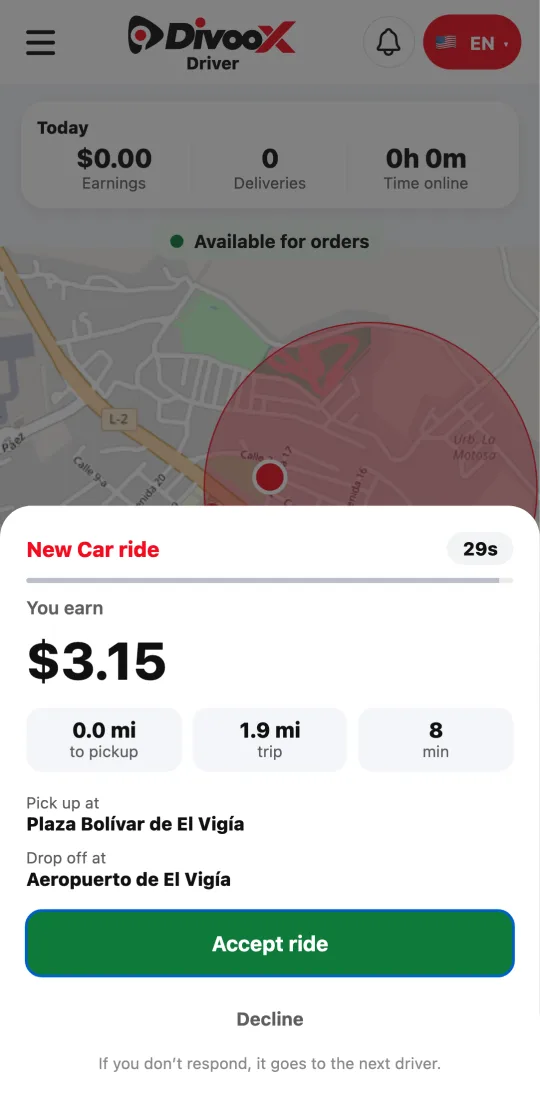
Once approved for Car and online, you receive ride offers with your earnings, the distance, the pickup, and the destination.
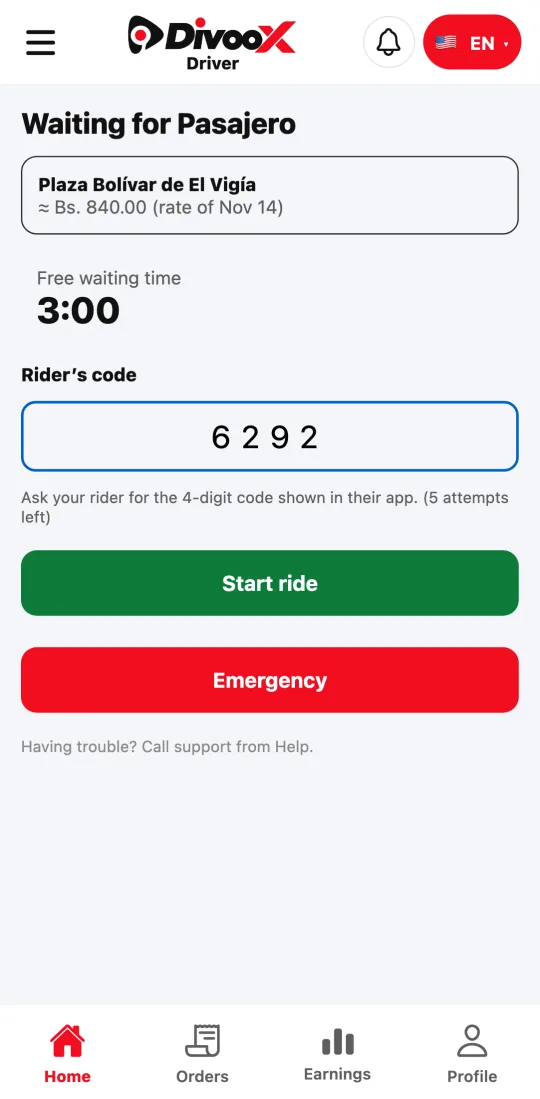
When you reach the pickup, tap “I’ve arrived.” The ride starts only when you enter the four-digit code the rider gives you.
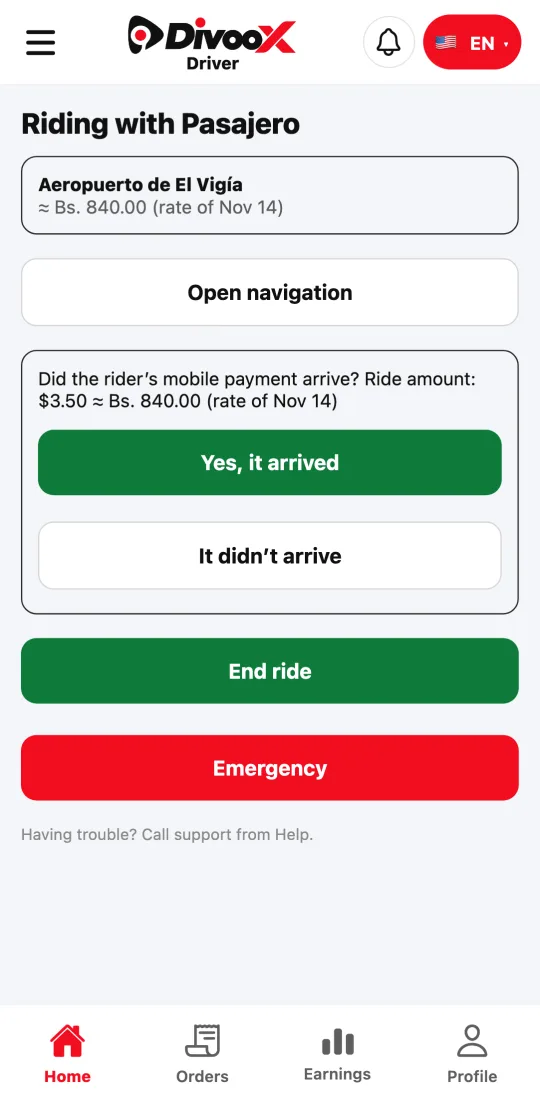
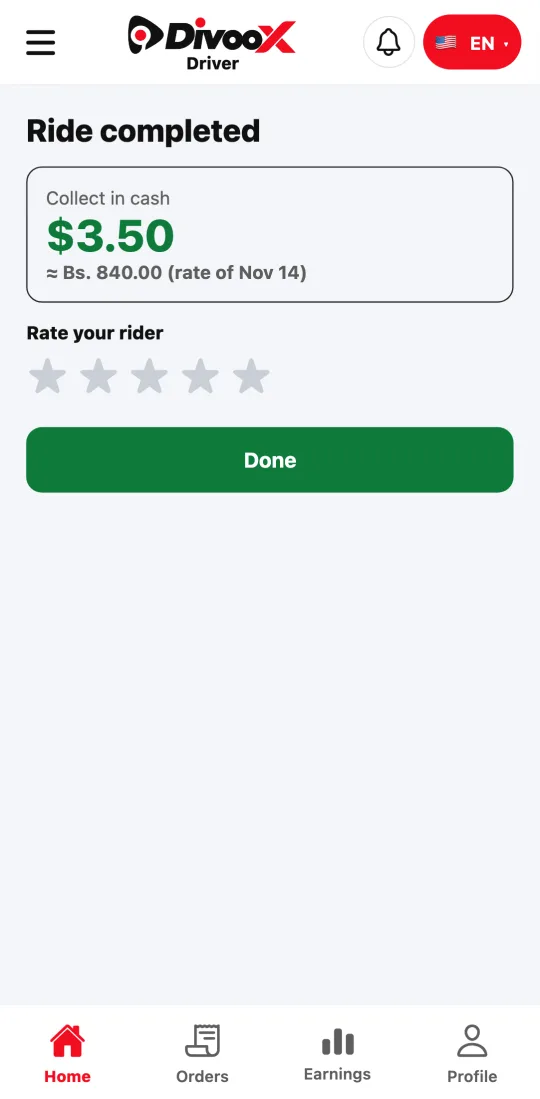
If the rider pays by mobile payment, you confirm in the ride whether it arrived: “Yes, it arrived” or “It didn’t arrive.” If they pay cash, the app tells you how much to collect when the ride ends.
In countries with a commission balance, each ride’s commission comes out of your balance; with card payments, your share is added to your earnings.
Steps
- Go online on the Home screen.
- When an offer arrives, check the earnings and route, and tap “Accept ride.”
- Go to the pickup and tap “I’ve arrived.”
- Ask the rider for their code, enter it, and tap “Start ride.”
- If they pay by mobile payment, confirm whether it arrived. At the destination, tap “End ride” and, if it’s cash, collect what the app tells you.
This guide answers
- How do I receive taxi rides on Divoox?
- What is the rider’s code for?
- How do I confirm a mobile payment?