
Send a package across town
Send keys, documents or a gift from one place to another, as easily as requesting a ride.
How it works
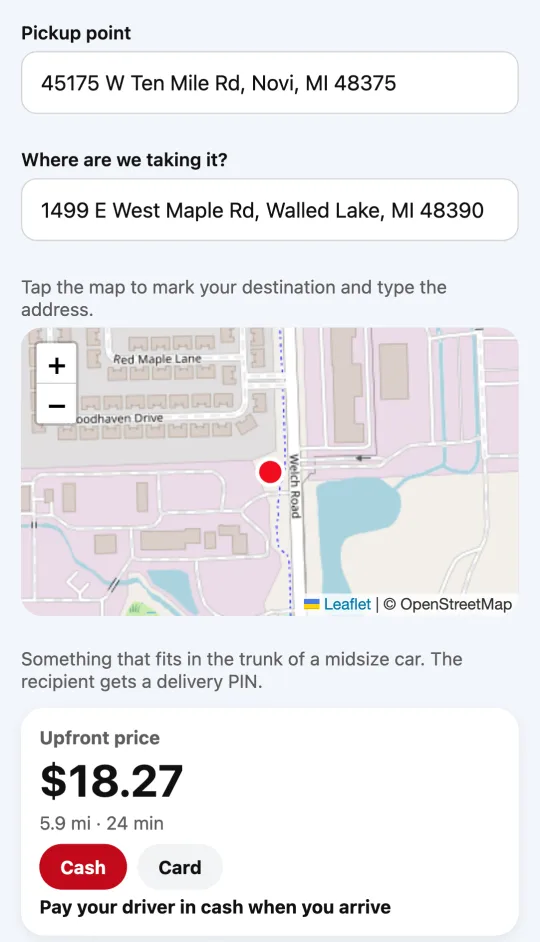
With Divoox Delivery, a driver picks up your package and takes it to the recipient within the same city. You enter the pickup and drop-off addresses and see the upfront price before you confirm. You pay the driver in cash or by card, depending on your city.
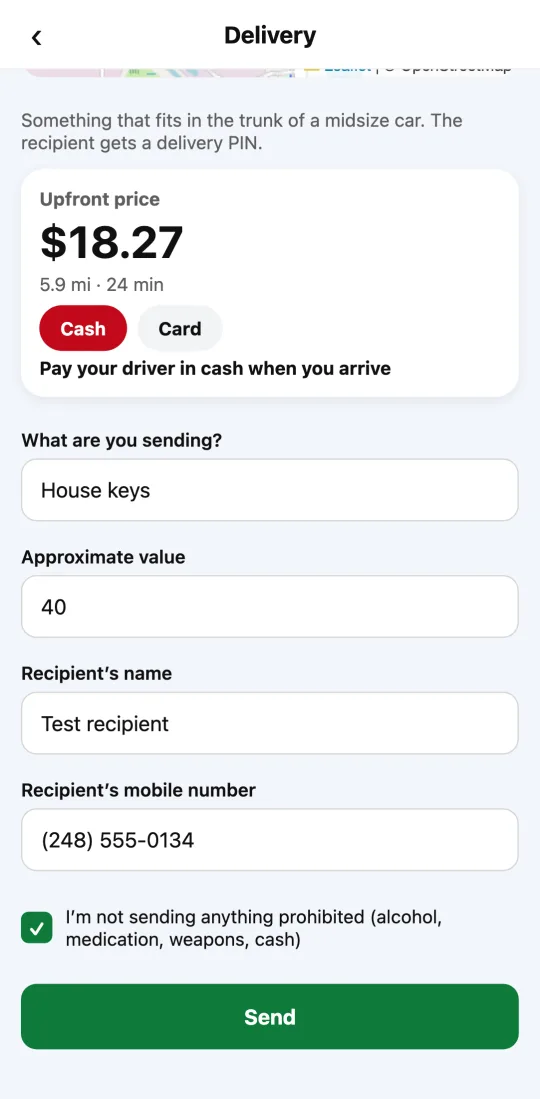
You tell us what you’re sending, its approximate value and the recipient’s name and mobile number. Each city has a maximum value per package, and you confirm you’re not sending anything prohibited. It has to fit in the trunk of a midsize car.
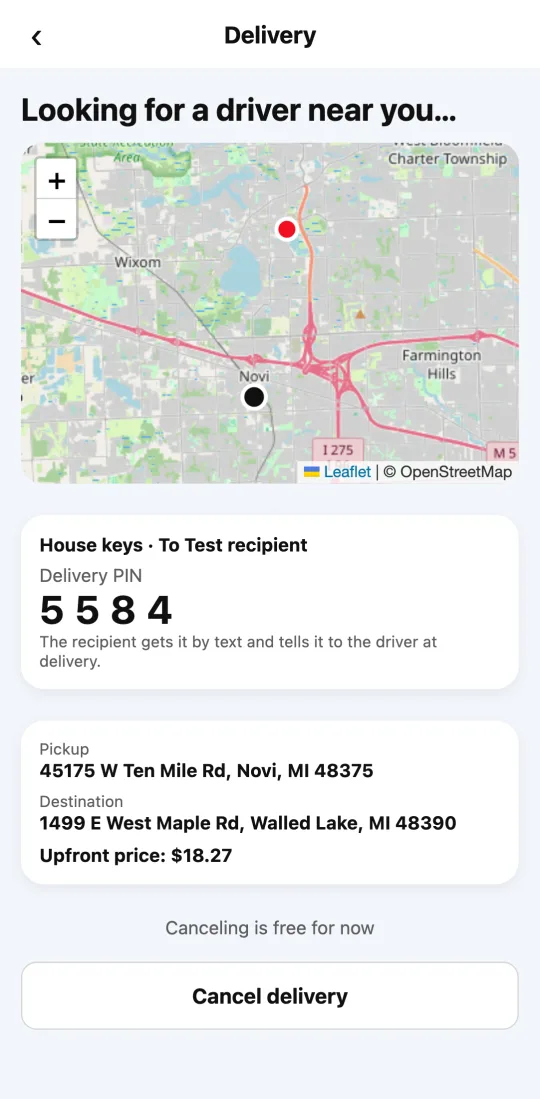
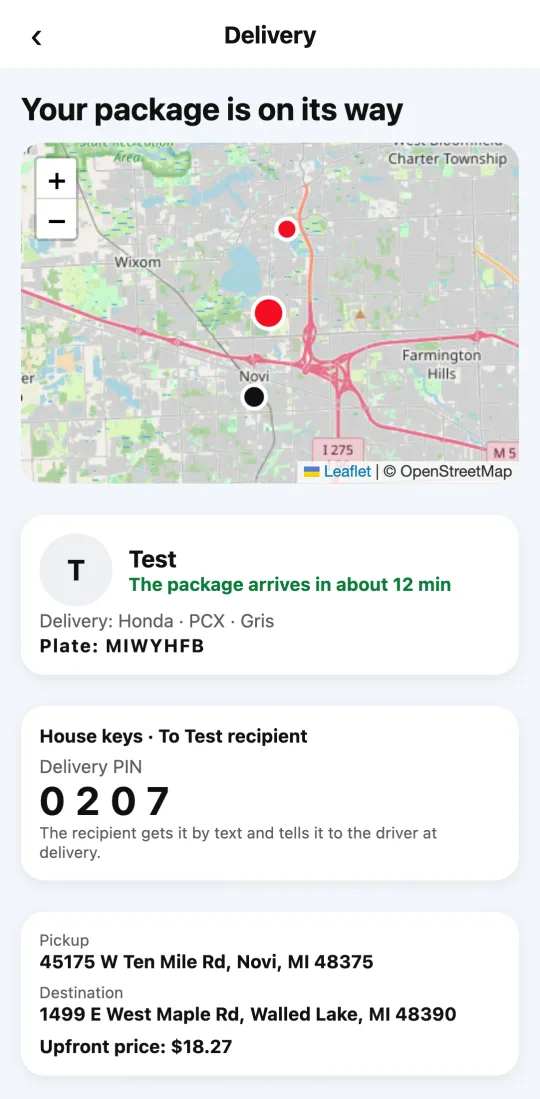
When you request, you see the delivery PIN: the recipient gets it in a text message, with the link to follow the delivery. If the message doesn’t reach them, pass it on yourself. The driver takes a photo of the package at pickup and only hands it over with that PIN.
Steps
- Open Divoox and tap “Delivery”.
- Enter the pickup and drop-off addresses and tap “See price”.
- Choose how you pay and tell us what you’re sending, its approximate value and the recipient’s name and mobile number.
- Confirm you’re not sending anything prohibited and tap “Send”.
- Follow the delivery on the map. When it’s delivered, you’ll see it in the app.
You can’t send alcohol, medication, weapons, cash, illegal items or perishable food.
This guide answers
- How do I send a package?
- How much does it cost to send a package?
- What can’t I send?
- How do I know my package arrived?