
Your safety on rides
Share your ride live, choose trusted contacts and get help with one tap.
How it works
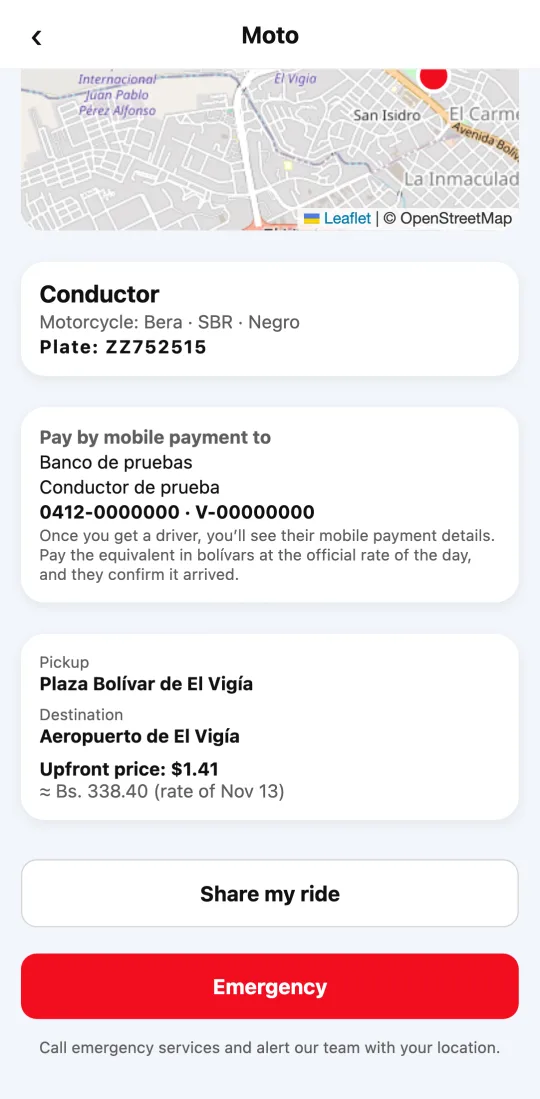
You can share your ride with anyone: they get a link to follow it live, no account needed. The link stops working when the ride ends.
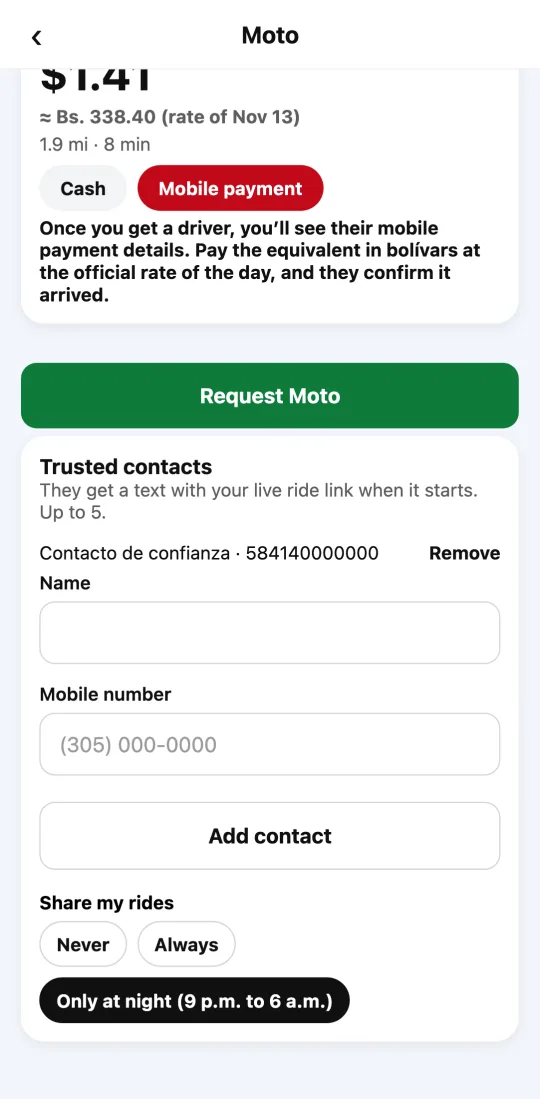
With trusted contacts (up to five), they get the link by text when your ride starts: always, only at night or never, as you choose.
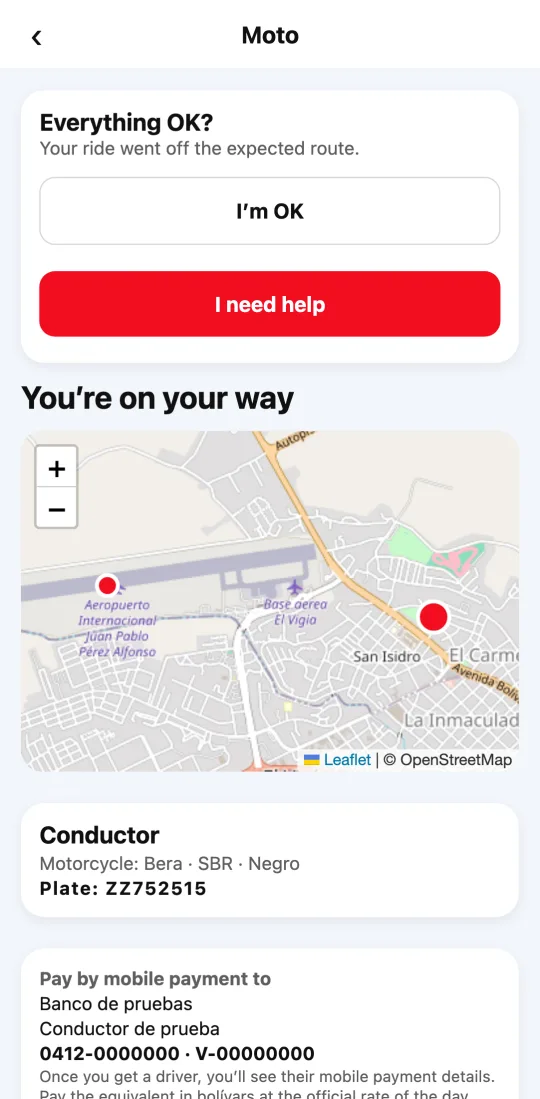
If the ride goes off the expected route, the app asks whether everything is OK. If you need help, one tap calls emergency services and alerts our team with your location.
Steps
- Before you request, add your trusted contacts on the Moto screen and choose when to share.
- During the ride, tap “Share my ride” to send the link to anyone.
- If the app asks “Everything OK?”, tap “I’m OK” or “I need help”.
- At any time, the “Emergency” button calls your country’s emergency number and alerts us.
This guide answers
- How do I share my ride?
- What are trusted contacts?
- What should I do if I feel unsafe on a ride?