
Collect orders in person: cash and mobile payment
For orders paid on delivery, you collect at the customer’s door and confirm mobile payments with “Yes, it arrived” or “It didn’t arrive.”
How it works
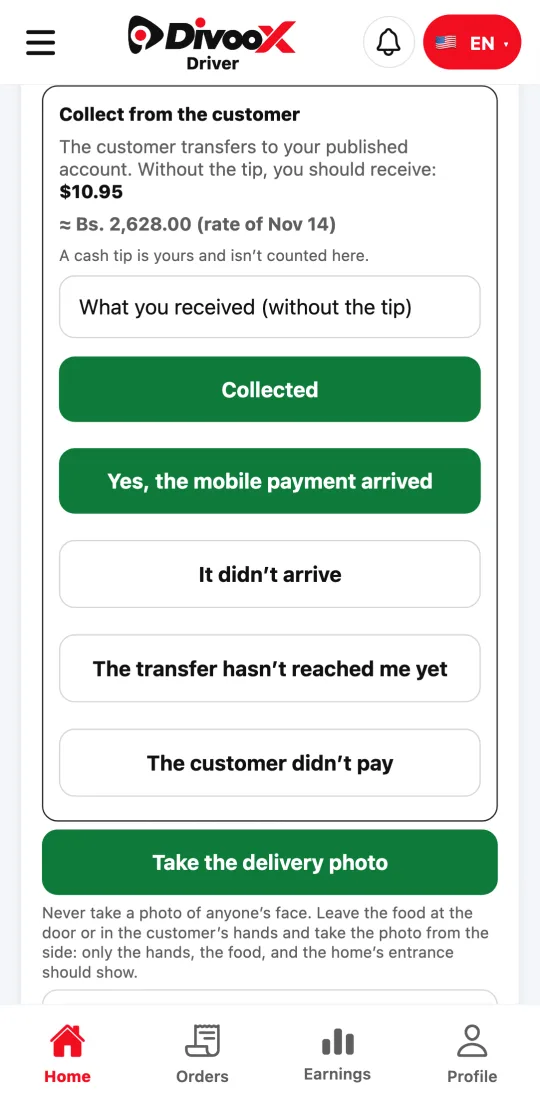
When the customer pays on delivery, at their door your app shows “Collect from the customer” with the amount without the tip and its equivalent in bolívares at the day’s rate.
For cash, enter what you received and tap “Collected.” For mobile payment, check your bank and tap “Yes, the mobile payment arrived” or “It didn’t arrive.” If the transfer hasn’t shown up yet, tap “The transfer hasn’t arrived yet.”
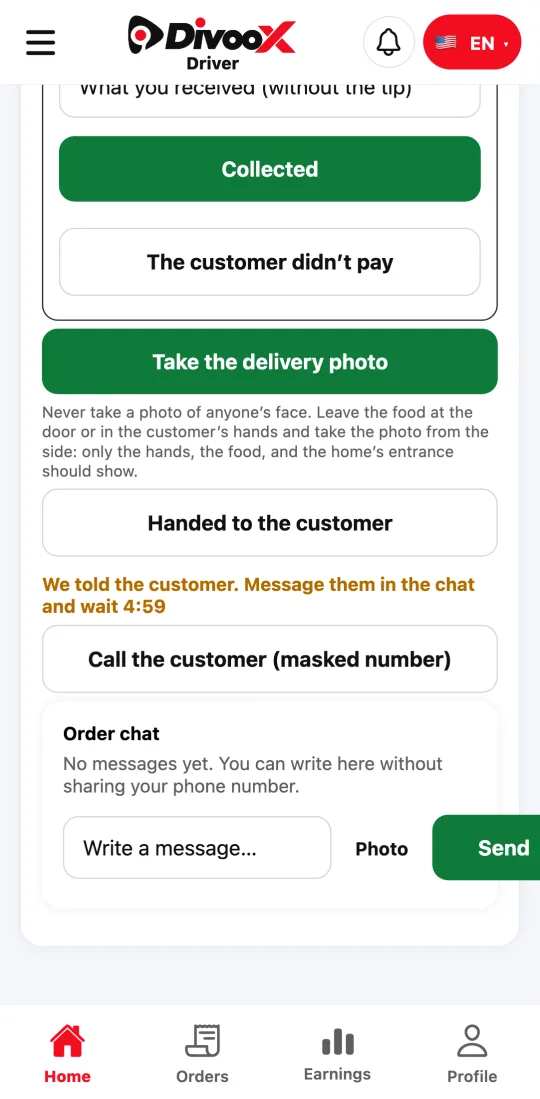
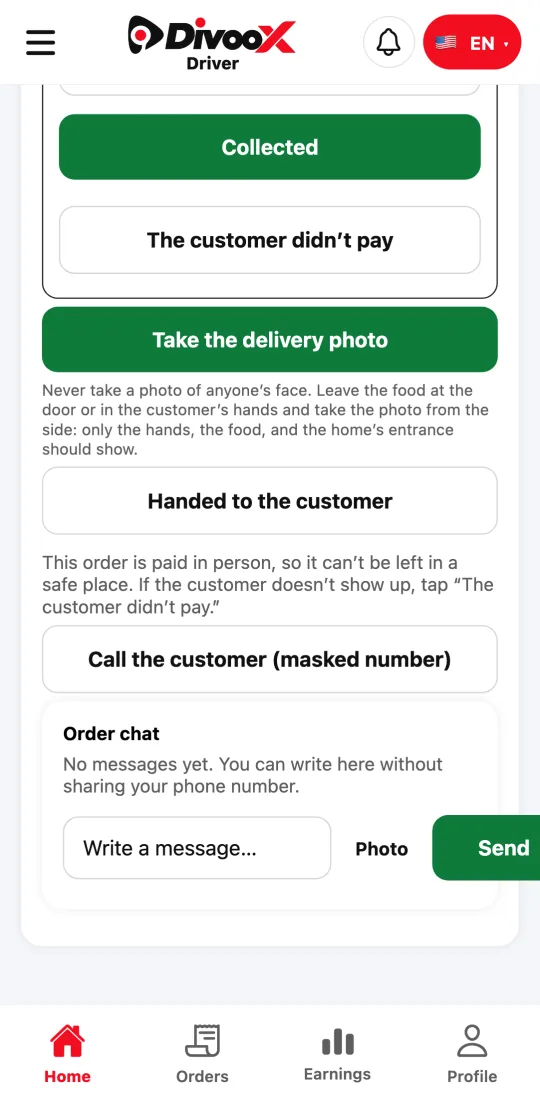
If the customer isn’t there, tap “Customer isn’t here”: we notify them and you wait a few minutes. An order paid in person is never left in a safe spot: after the wait, tap “The customer didn’t pay” and take the food back to the restaurant.
A cash tip is yours and isn’t counted in the collection.
Steps
- At the door, check the amount to collect under “Collect from the customer.”
- For cash, enter what you received and tap “Collected.”
- For mobile payment, check your bank and tap “Yes, the mobile payment arrived” or “It didn’t arrive.”
- If the customer isn’t there, tap “Customer isn’t here” and wait; when time is up, tap “The customer didn’t pay.”
This guide answers
- How do I collect a cash order?
- How do I confirm a mobile payment arrived?
- What do I do if the customer isn’t there?