
Pay for your food on delivery: cash or mobile payment
In Venezuela you pay when your order arrives, in cash or with a mobile payment transfer to the driver, and you also see the total in bolívares.
How it works
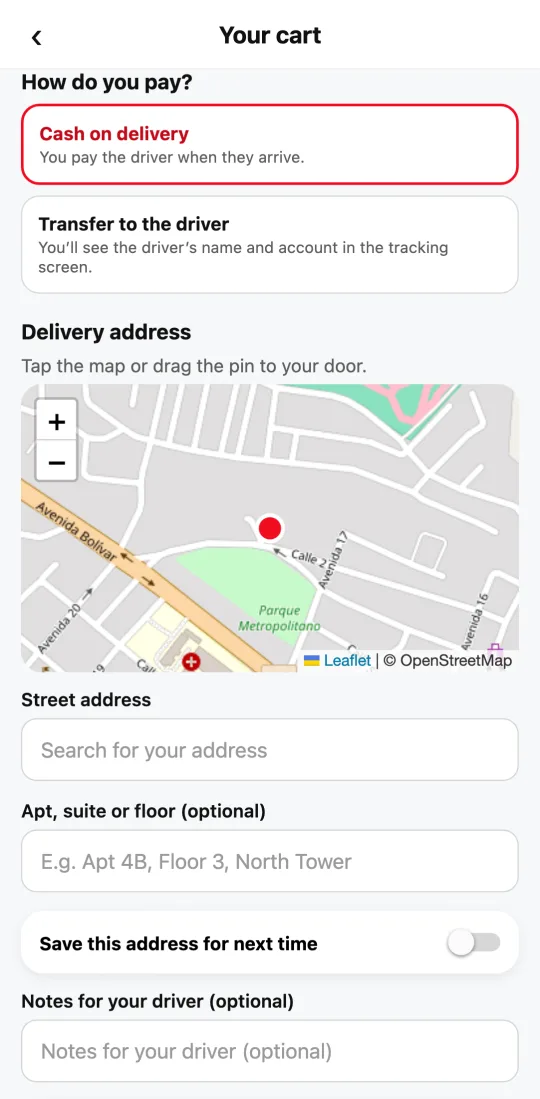
In countries where payment is collected in person, like Venezuela, you choose “Cash on delivery” or “Transfer to the driver” (mobile payment) when you order. No card needed.
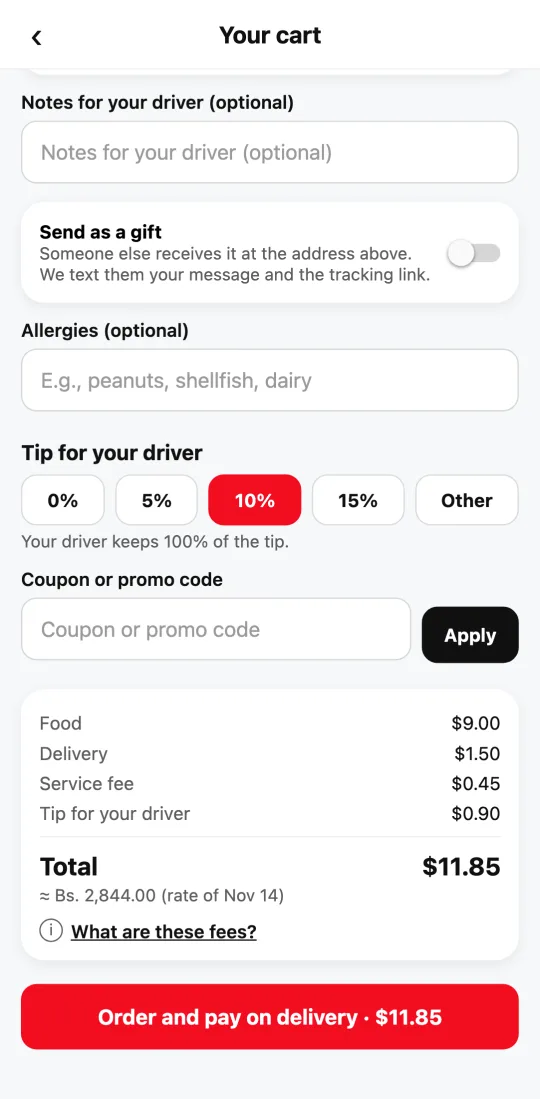
Prices are in US dollars, and your cart total shows its equivalent in bolívares at the day’s rate, so you know how much you’ll pay.
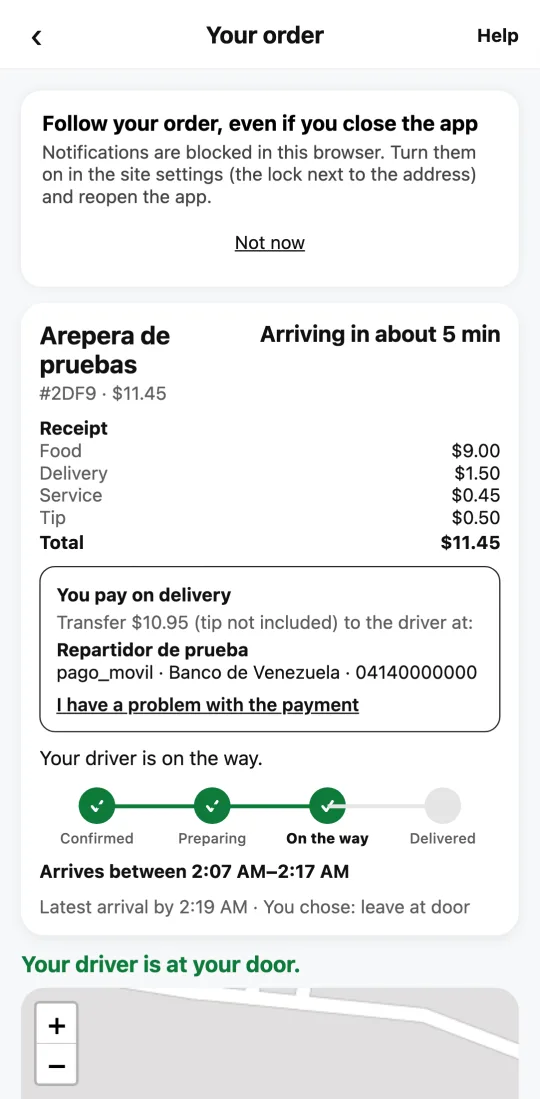
If you choose transfer, your order tracking shows the driver’s name and account details so you can pay them when they arrive. The driver confirms in their app that it arrived.
A cash tip goes straight to the driver: they keep all of it.
Steps
- Build your order and open the cart.
- Under “How do you pay?”, choose “Cash on delivery” or “Transfer to the driver.”
- Check the total in US dollars and its equivalent in bolívares, and tap to order and pay on delivery.
- If you chose transfer, tracking will show the driver’s details: pay them when they arrive.
Have the amount ready when the driver arrives so the handoff is quick.
This guide answers
- Can I pay for food in cash?
- How do I pay for my order with mobile payment?
- How much is it in bolívares?