
Rides with stops and with dynamic pricing
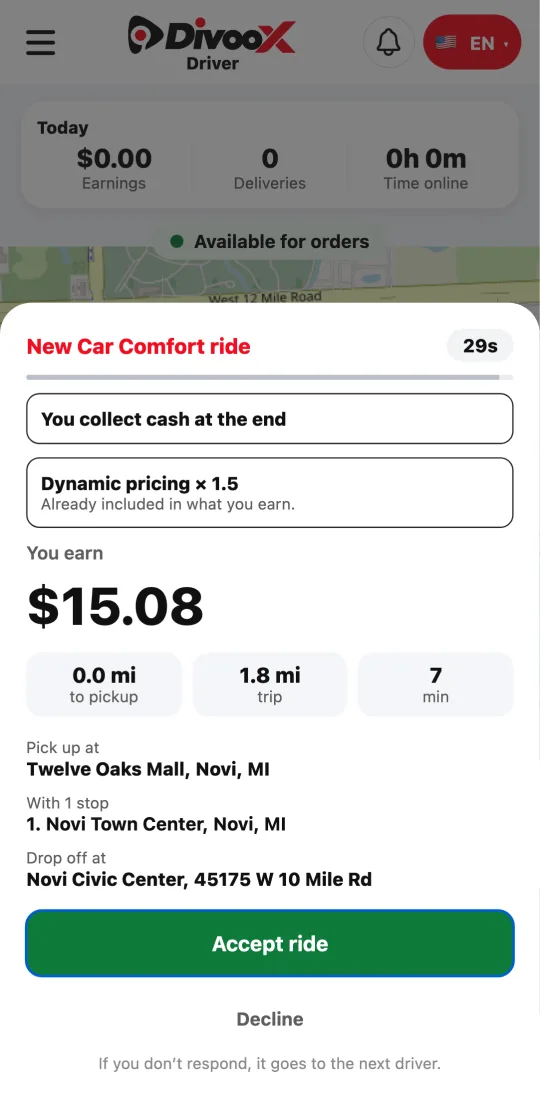
The offer tells you if the ride has stops or dynamic pricing. At each stop you mark that you arrived and continue when your rider is back.
How it works
A rider can add stops when requesting or with the ride underway. The offer tells you how many there are and where, and what you earn already counts the whole trip.
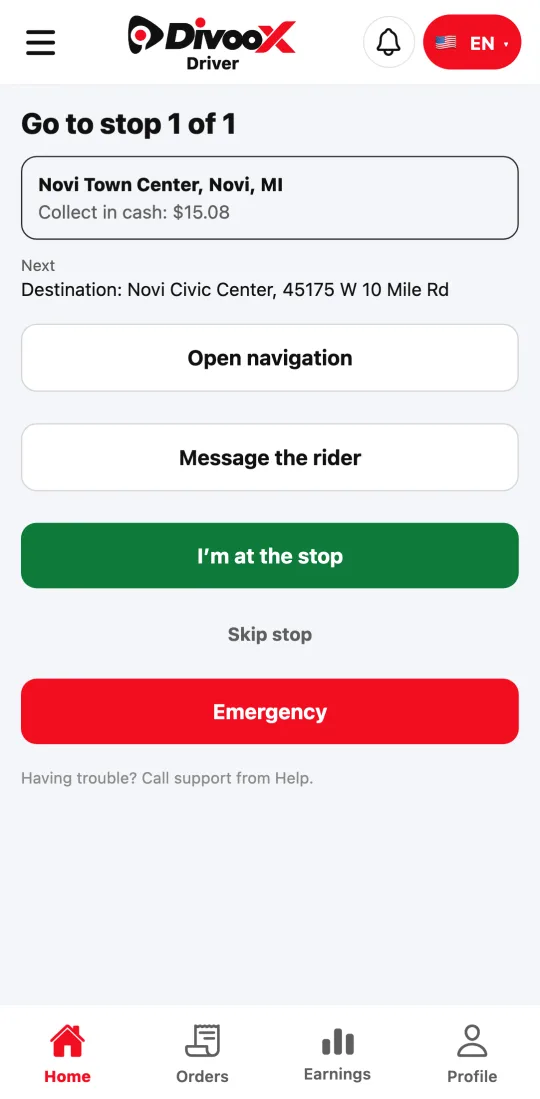
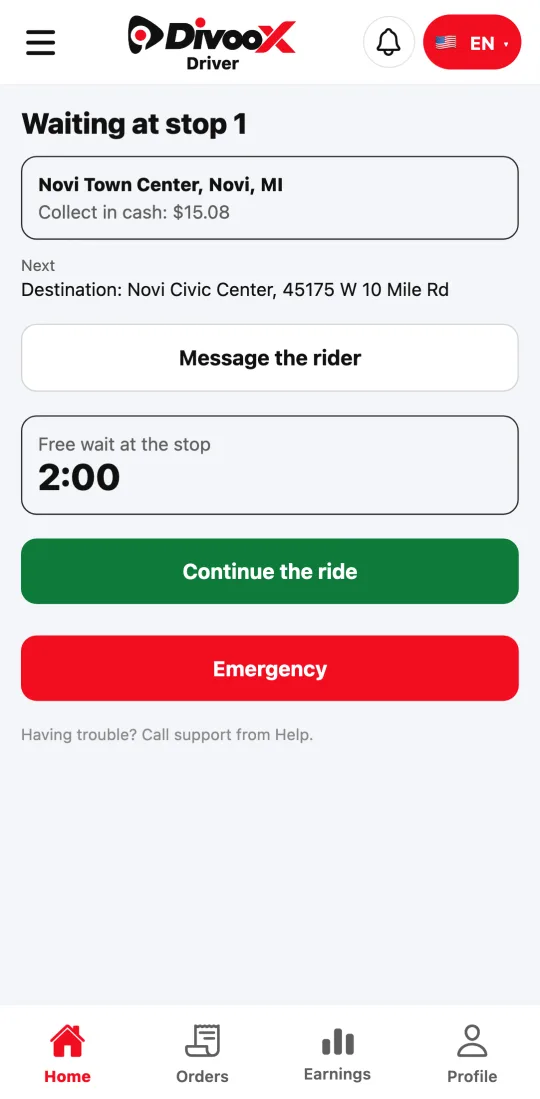
With the ride in progress, the app takes you to the next stop. When you get there, tap “I’m at the stop” (you have to be there) and the free wait starts. If your rider takes longer, wait time is charged per minute and added to what you collect at the end. When they’re back, tap “Continue the ride.”
If your rider no longer wants to stop, tap “Skip stop” twice. The price is recalculated and never goes up for skipping it. While there’s a stop left to make, the app won’t let you end the ride.
If the rider adds or removes a stop along the way, you get a notification and the screen shows the new route. The commission adjusts on its own to the new price.
When there’s dynamic pricing in your city, the offer says so with its multiplier. It’s already included in what you earn.
Steps
- Check the offer: the earnings, the stops, and whether there’s dynamic pricing. Tap “Accept ride.”
- Start the ride as usual. The app takes you to the first stop: when you get there, tap “I’m at the stop.”
- When your rider is back, tap “Continue the ride.” If they no longer want to stop, tap “Skip stop” twice.
- With every stop done, take your rider to the destination and tap “End ride.”
This guide answers
- How do I do a ride with stops?
- Am I paid for waiting at a stop?
- What do I do if the rider no longer wants to stop?
- What is dynamic pricing for the driver?