
Choose your car: Car, Comfort, Premium, or XL
See each category’s price for your same ride and pick the one you want before you request.
How it works
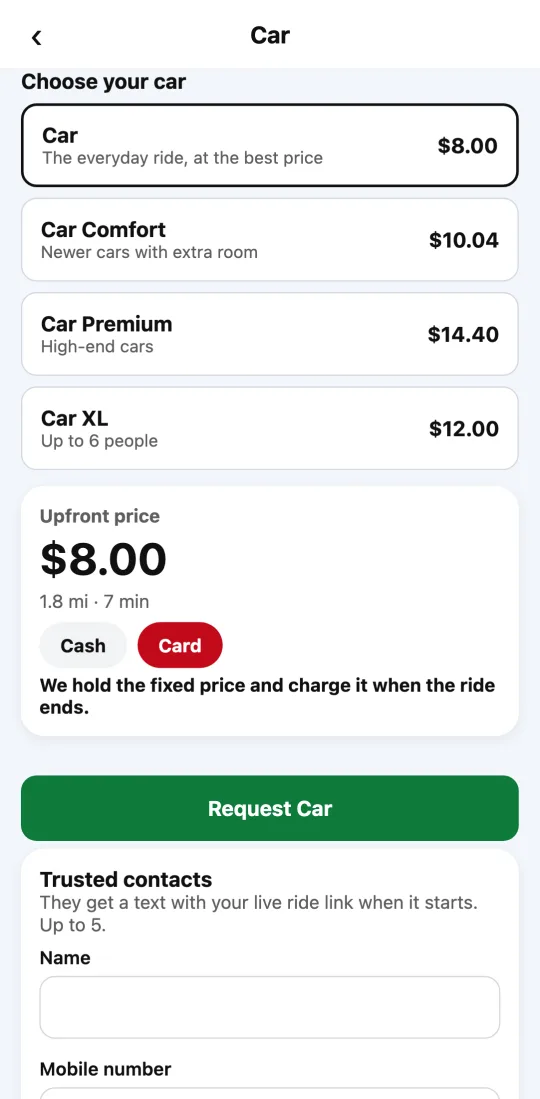
Divoox Car has categories, like the best-known ride apps. Car is the everyday ride, at the best price. Car Comfort means newer cars with extra room. Car Premium means high-end cars, approved one by one by our team. Car XL fits up to six people.
Each city offers the categories it has available: the app only shows the ones you can request there.
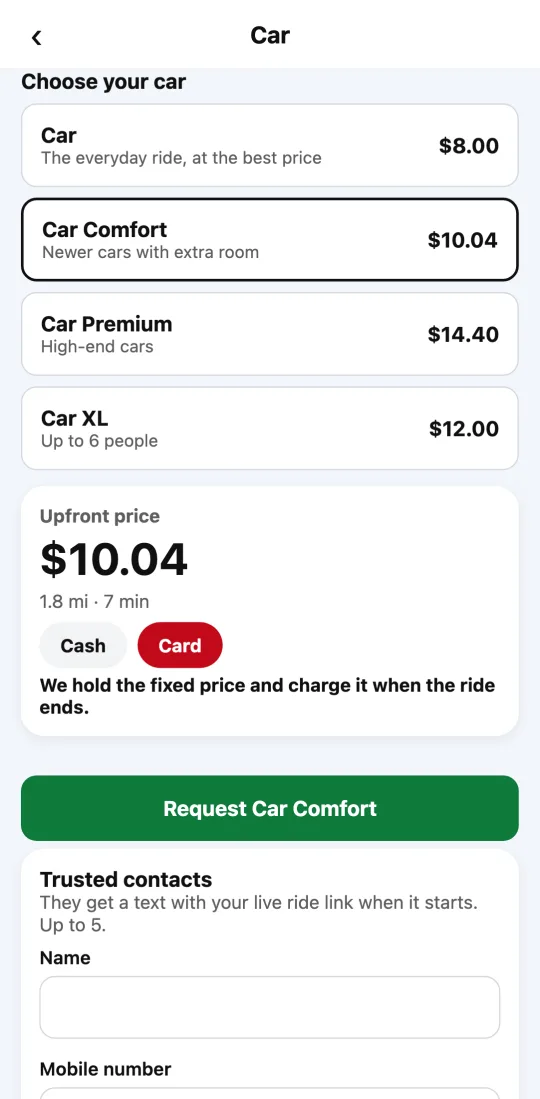
When you tap “See price,” under “Choose your car” you see each category’s fixed price for that same trip. Tap another one and the price below changes to that category’s. The button tells you what you’re requesting: “Request Car Comfort,” for example.
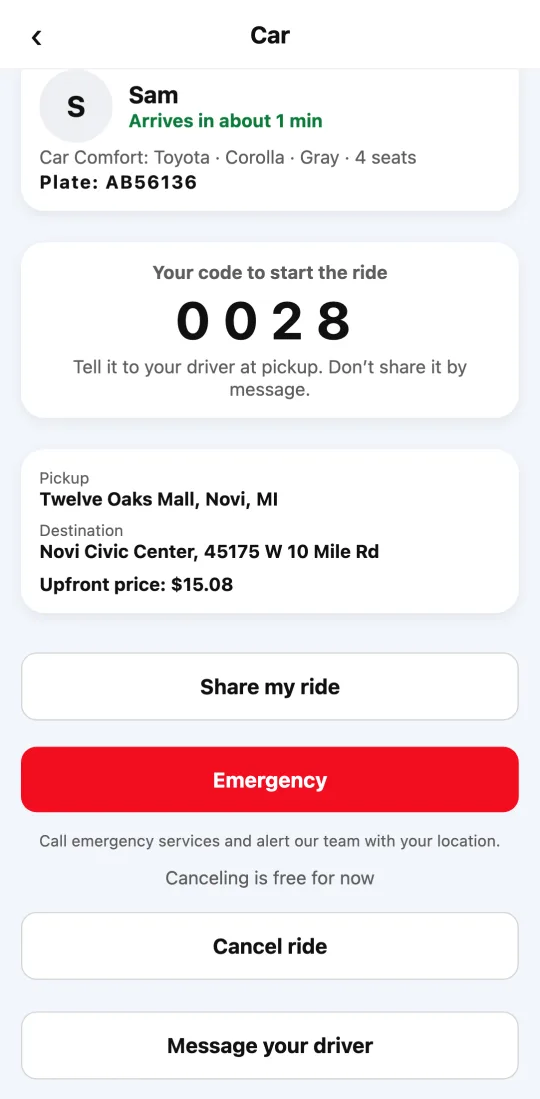
A Comfort or Premium ride is only offered to a driver whose car is in that category or a higher one. Once a driver is assigned, you see which car is coming, its color, its seats, and its plate.
Steps
- Open Divoox, tap “Car,” confirm the pickup, and enter your destination.
- Tap “See price.”
- Under “Choose your car,” tap the category you want. Its fixed price shows below.
- Choose how to pay and tap the request button (for example, “Request Car Comfort”).
If a category isn’t in the list, it isn’t available in your city yet.
This guide answers
- What car categories does Divoox have?
- What’s the difference between Car and Car Comfort?
- How much more is Car Premium?
- Why don’t I see Comfort in my city?